PSS Command Center
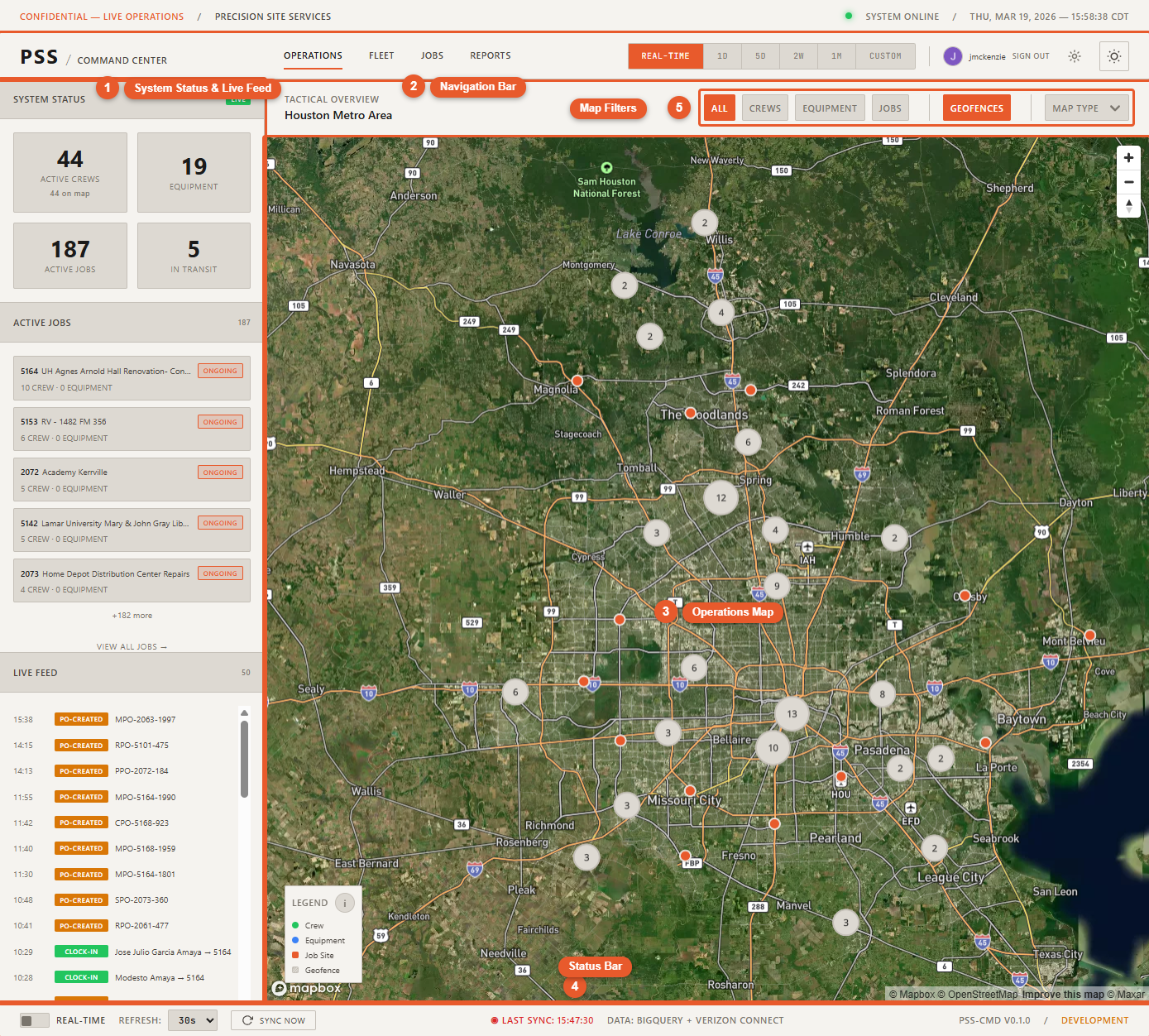
The Command Center is a real-time operations dashboard that gives Precision Site Services a unified view of everything happening in the field — where your crews are, where your equipment is, what jobs are active, and what purchase orders are in flight.
Who it's for
- Operations Directors — Live field visibility without making phone calls
- Project Managers — Job status, crew assignments, and PO tracking in one place
- Executives — High-level view of all active work at a glance
What it shows
| Section | What you see |
|---|---|
| Operations Map | Workers, equipment, and job sites plotted live on an interactive map |
| Fleet Page | Full equipment list with status and location |
| Jobs Page | All active jobs with Podio stage and crew/equipment assignments |
| Live Feed | Real-time event stream — clock-ins, PO events, geofence alerts |
| PO Tracking | Purchase order status visible from worker and job detail panels |
What it is not
The Command Center is a read-only visibility tool. You cannot dispatch workers, create POs, manage geofences, or modify job data from this dashboard. Those actions happen in their respective systems (AppSheet, Podio, Verizon Connect Reveal).
How to navigate these docs
- Getting Started — Sign in, learn the interface, and get oriented fast
- Operations — Deep dive on the map, workers, equipment, jobs, live feed, and geofences
- Features — Global search, time travel, movement history, and settings
- Pages — Fleet and Jobs table views
- PO Tracking — How purchase orders appear in the dashboard
- Reference — Data refresh rates, status colors, and keyboard shortcuts