Data Refresh Rates
The Command Center pulls data from multiple external systems, each with its own refresh cadence. This page explains the full picture.
Refresh rate table
| Data | Source | Refresh Rate | Notes |
|---|---|---|---|
| Workers | AppSheet (Sign-In app) | Every 5 minutes | GPS only captured at clock-in/out |
| Purchase Orders | AppSheet (PO app) | Every 5 minutes | POs created a few times per day |
| Jobs (basic info) | AppSheet (Sign-In app) | Every 15 minutes | Rarely changes intra-day |
| Job stages | Podio | Every 15 minutes | Stage changes are infrequent |
| Equipment GPS | Verizon Connect Reveal | Every 30 minutes | Devices report ~4x per day |
| Geofence boundaries | Verizon Connect Reveal | Every 1 hour | Boundaries rarely change |
| Geofence events | Verizon Connect Reveal | Every 5 minutes | Entry/exit need timely delivery |
| Movement history (today) | AppSheet | Every 60 seconds | Short cache for real-time feel |
| Movement history (past) | BigQuery / Firestore | On demand | Pre-cached nightly, instant reads |
| PO history (by job) | BigQuery | On demand | Queried when job detail opens |
Why these rates?
Workers every 5 minutes: The AppSheet sign-in app captures GPS only when a worker clocks in or out — there is no continuous tracking between those events. A 5-minute poll is sufficient to pick up new clock-ins promptly.
Equipment every 30 minutes: Verizon Connect GPS devices on PSS equipment transmit roughly 4 times per day. There is no benefit to polling faster than the devices report.
Geofences every hour: Geofence boundaries are administrative configurations that change very rarely. Hourly is more than sufficient.
Movement history on demand: Historical location data is pre-cached from the nightly ETL job. It loads instantly when you open movement history — there is no live query delay.
Sync Now
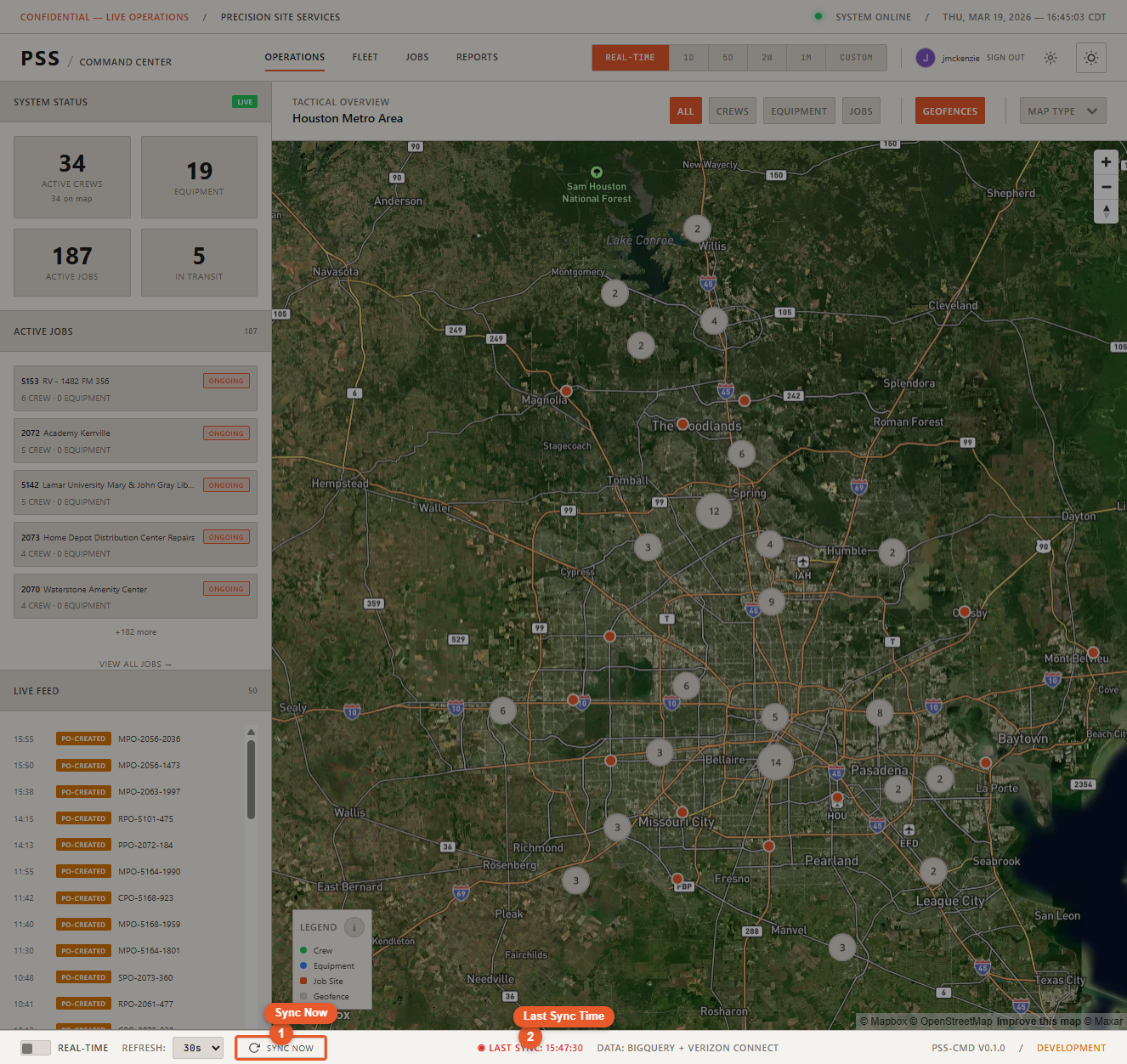
Click Sync Now in the status bar at any time to force an immediate refresh of all data sources simultaneously. This is useful after a crew clocks in, a PO is submitted, or any time you want the freshest possible data.
The Sync Now button bypasses all cached data and queries each source directly. All panels and the map update immediately when the refresh completes.