Jobs Page
The Jobs page provides a full table view of all active jobs, with Podio stage data, crew assignments, and equipment lists in one place.
Navigating to Jobs
Click Jobs in the top navbar from any page.
The jobs table
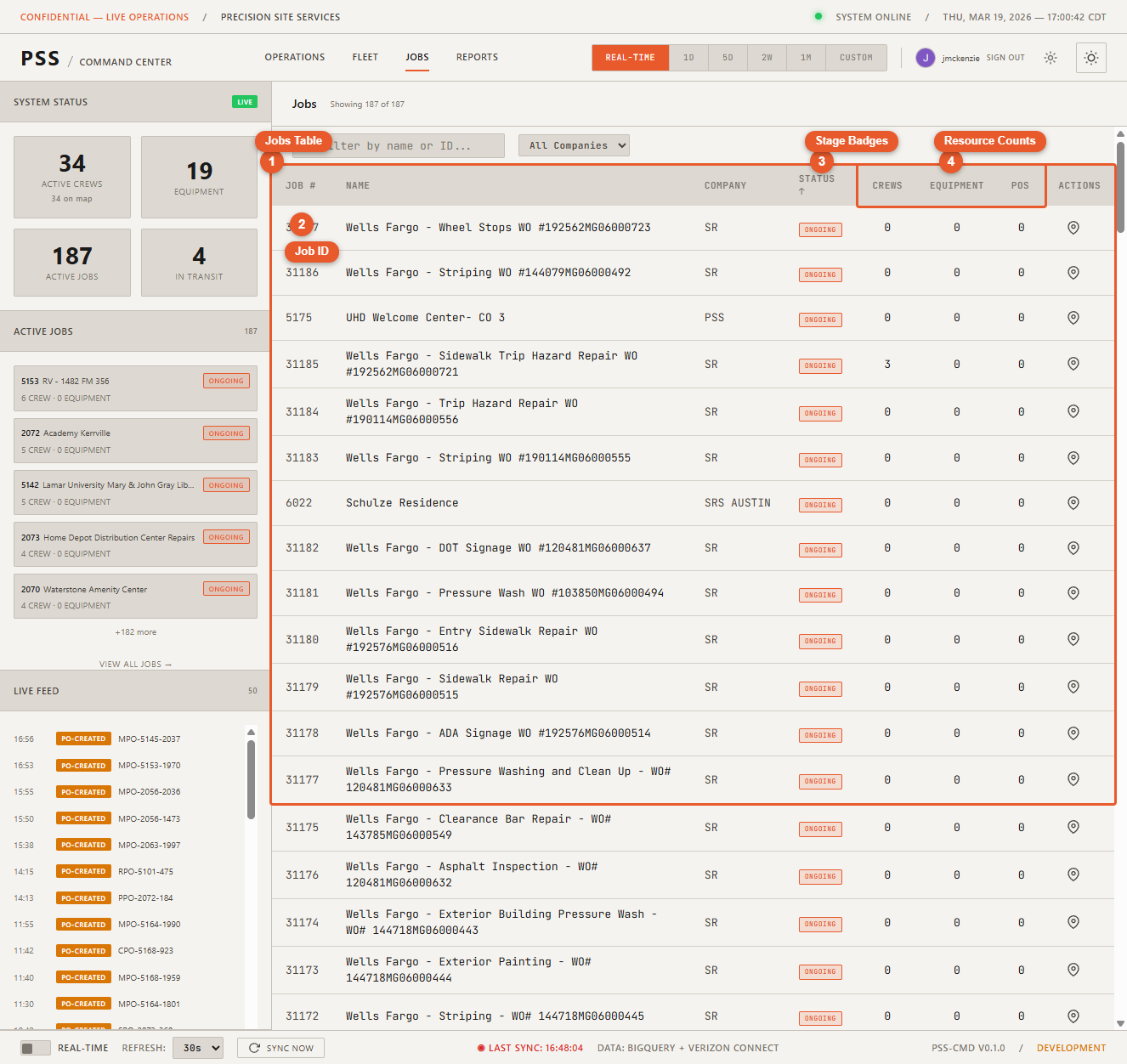
The table lists every active job with the following columns:
- Job ID — Internal identifier
- Job name — Descriptive project name
- Address — Physical job site location
- Stage — Current Podio project stage (see below)
- Crew count — Number of workers currently clocked in at this job
- Equipment count — Number of equipment units assigned to this job
- POs — Number of open purchase orders for this job
Podio stage column
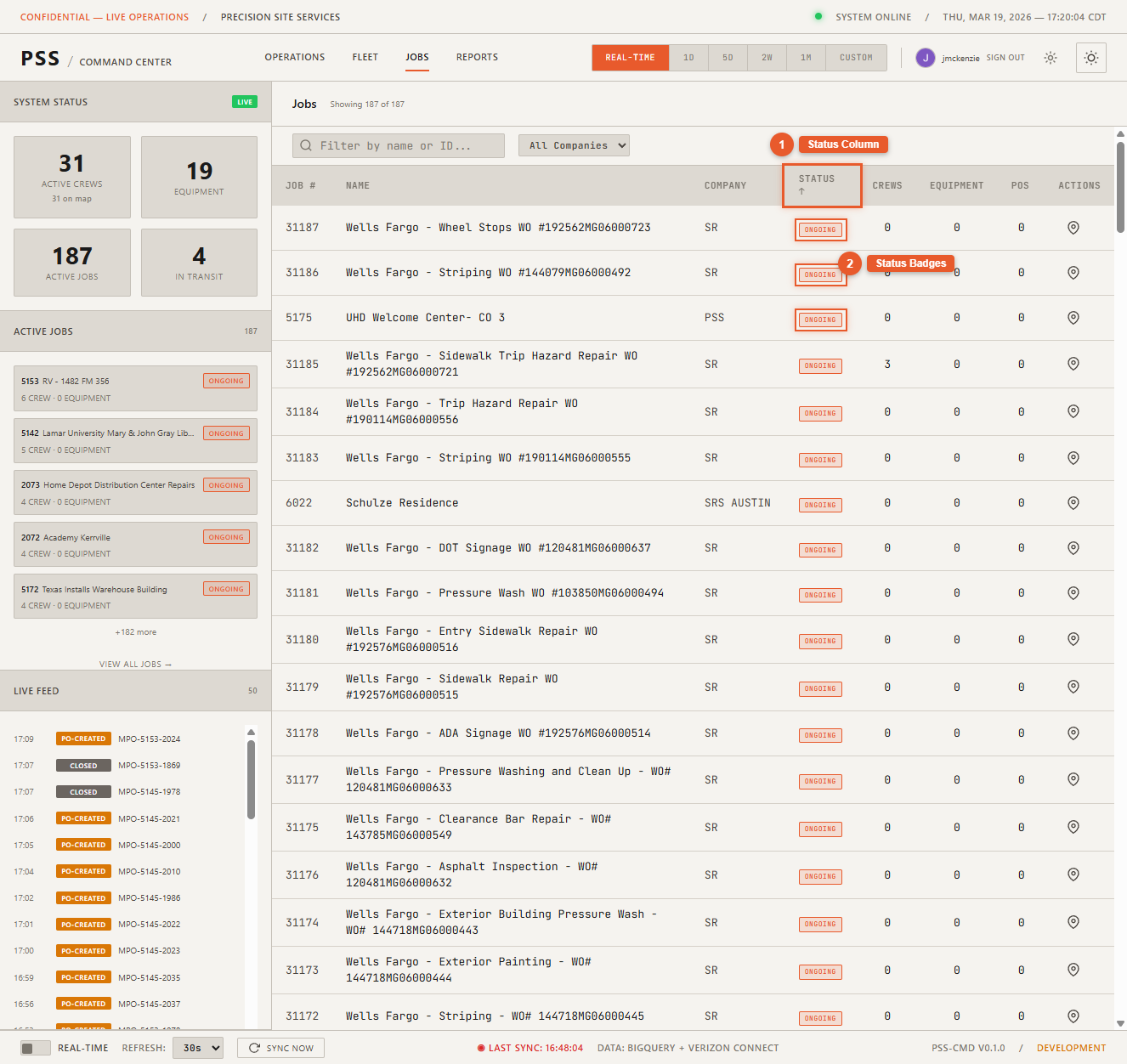
The Stage column reflects the current stage of each job in Podio:
| Stage | Meaning |
|---|---|
| Pre-Construction | Project is approved, work has not started |
| Mobilizing | Crew and equipment are being staged on site |
| Construction | Active work is underway |
| Demobilization | Work is wrapping up, equipment is being removed |
| Retainage | Project is complete, final payment pending |
Stage data refreshes every 15 minutes.
Sorting and filtering
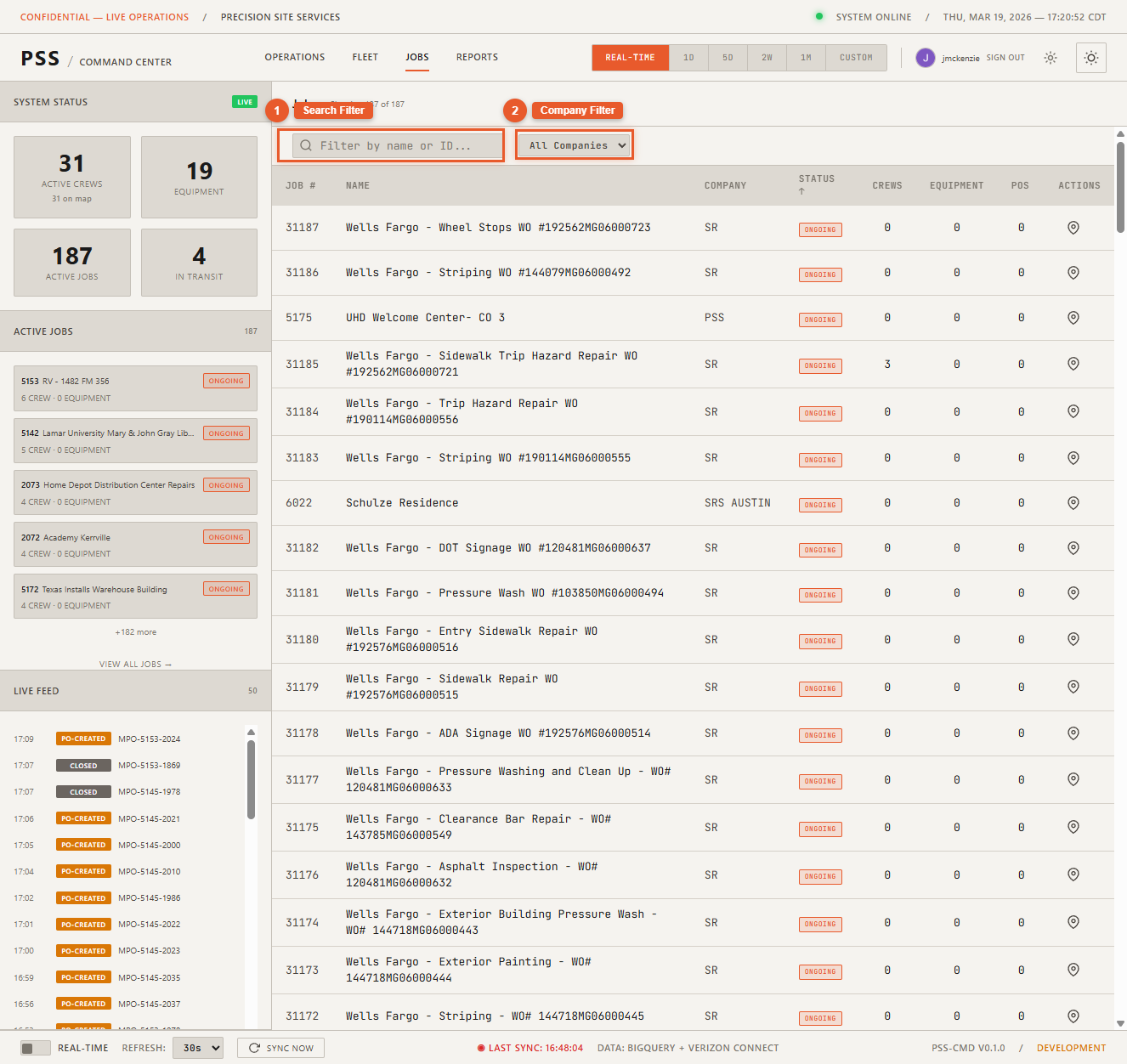
Click any column header to sort. Use the search bar to filter by job ID or name.
Job detail panel
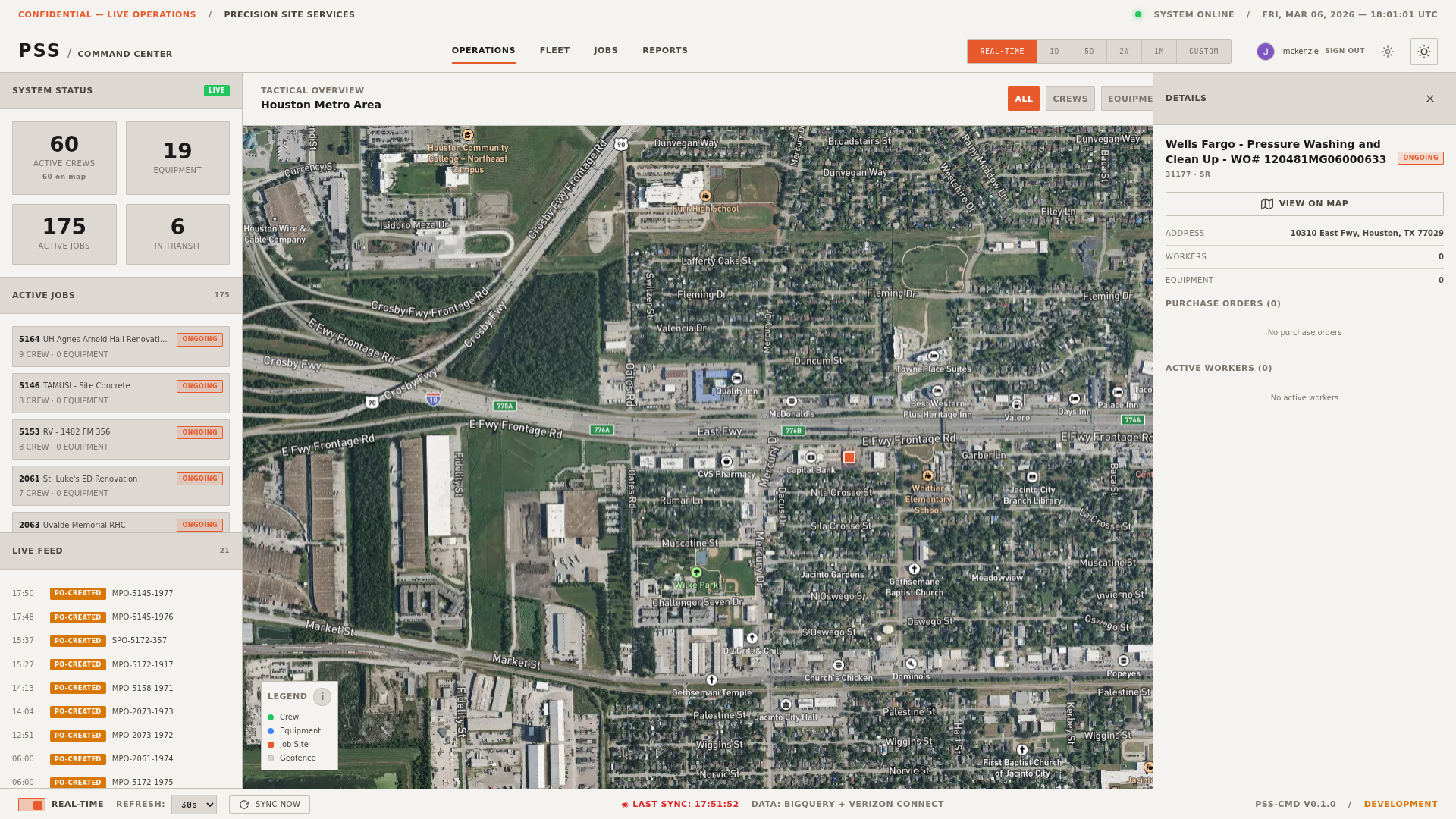
Click any row to open the job detail panel, which shows:
- Full job information
- List of crew members currently on site
- List of equipment assigned
- POs for this job with status badges
View on Operations Map
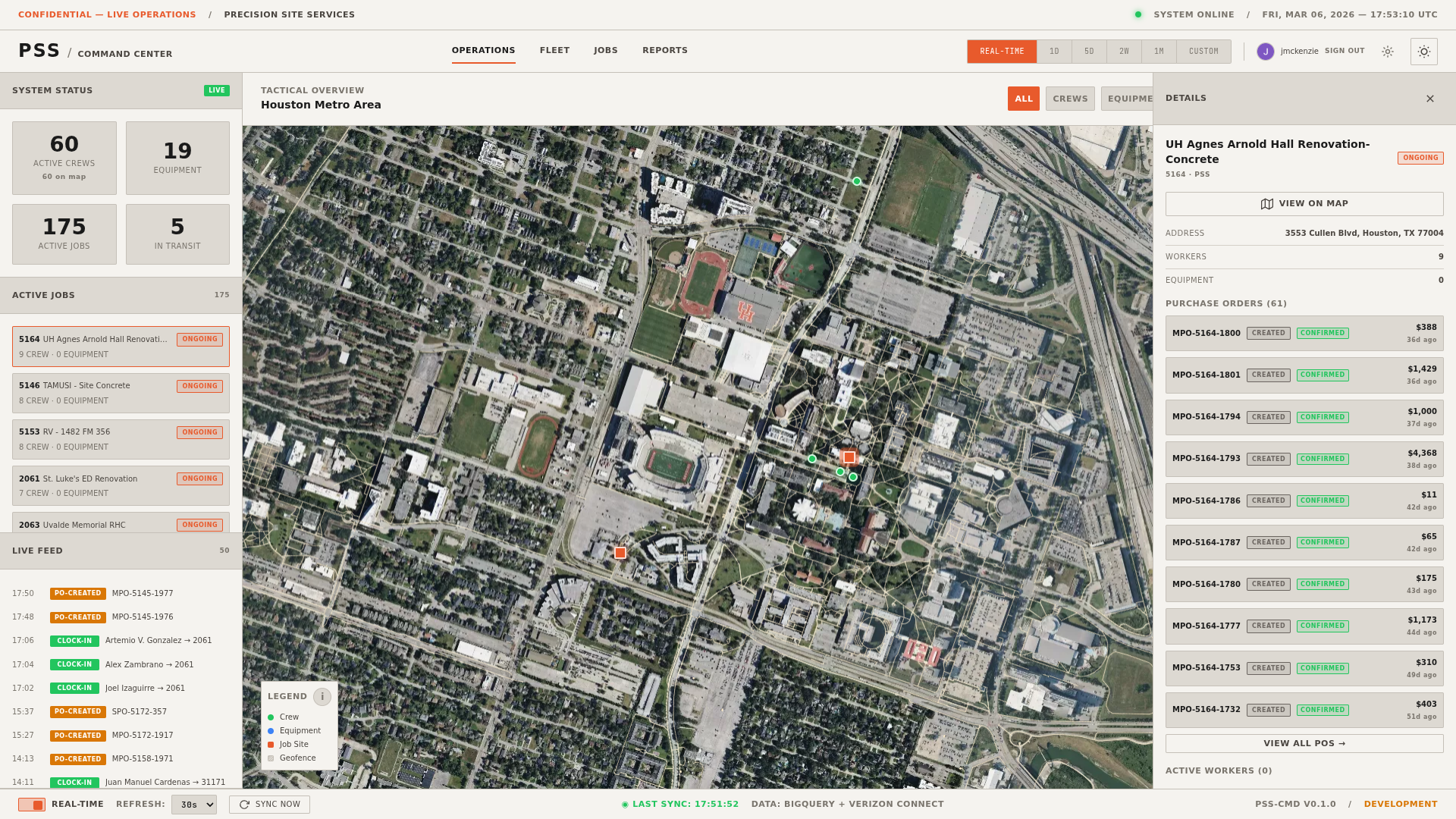
Click View on Operations Map in the detail panel to jump to the Operations page with the map centered on that job site.