PO Lifecycle
Every purchase order follows a five-stage lifecycle from creation to closure.
The five stages
Created → Submitted → Approved → Reviewed → Closed
Created
A field worker has submitted a new PO in the AppSheet app. The PO exists in the system but has not yet been formally submitted for approval. This is the starting point for all purchase orders.
Submitted
The PO has been submitted for management review. Someone in the office needs to take action on it. A PO in Submitted status typically appears in the Live Feed as a new event requiring attention.
Approved
A manager has approved the purchase. The vendor can proceed with the work or delivery. Approved POs are visible on the job detail panel with a green status badge.
Reviewed
The PO has been reviewed post-completion. Work is done and the PO is in a final verification state before being formally closed.
Closed
The PO is complete and finalized. No further action is required. Closed POs remain visible on job and worker detail panels for historical reference.
Status badges
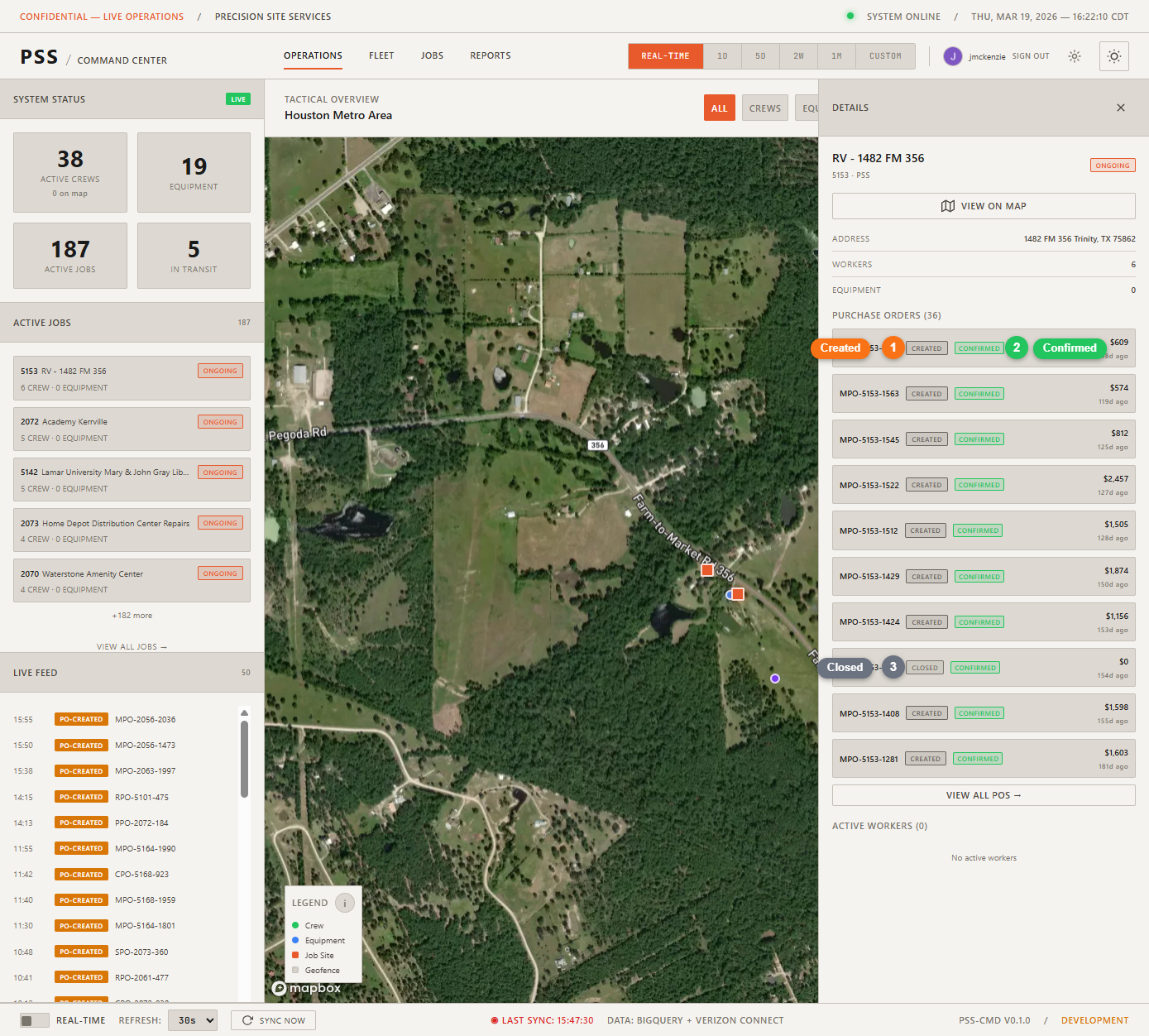
In the dashboard, PO status is shown as a color-coded badge:
| Status | Badge color |
|---|---|
| Created | Orange (pending) |
| Submitted | Yellow (action needed) |
| Approved | Green (done) |
| Reviewed | Blue (informational) |
| Closed | Gray (complete) |
PO events in the Live Feed
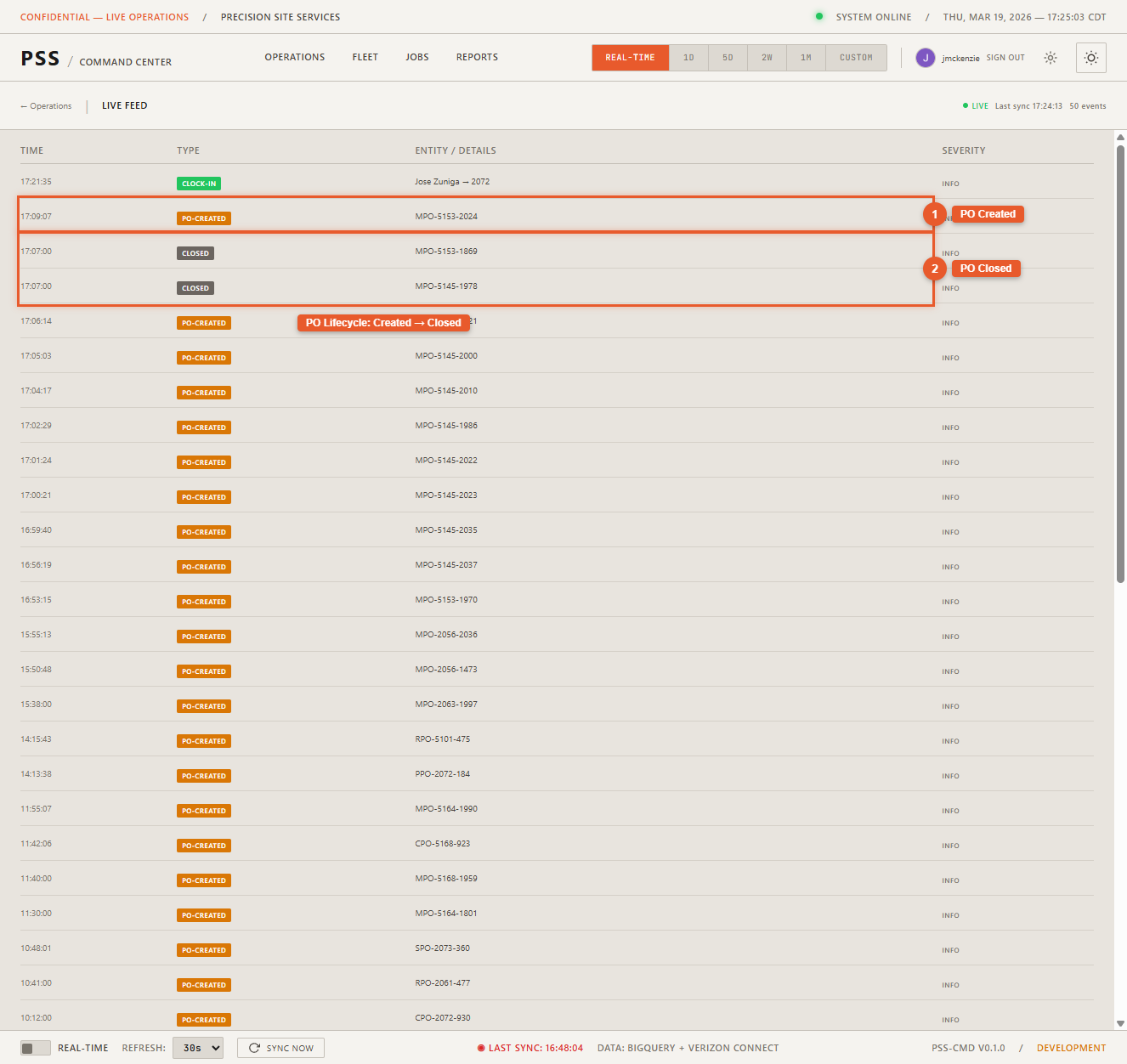
Each time a PO changes status, an event appears in the Live Feed showing the PO details, the previous status, and the new status. This gives operations directors a real-time view of the approval pipeline without checking the AppSheet app directly.