Keyboard Shortcuts
The Command Center supports keyboard shortcuts for common actions.
Available shortcuts
| Shortcut | Action |
|---|---|
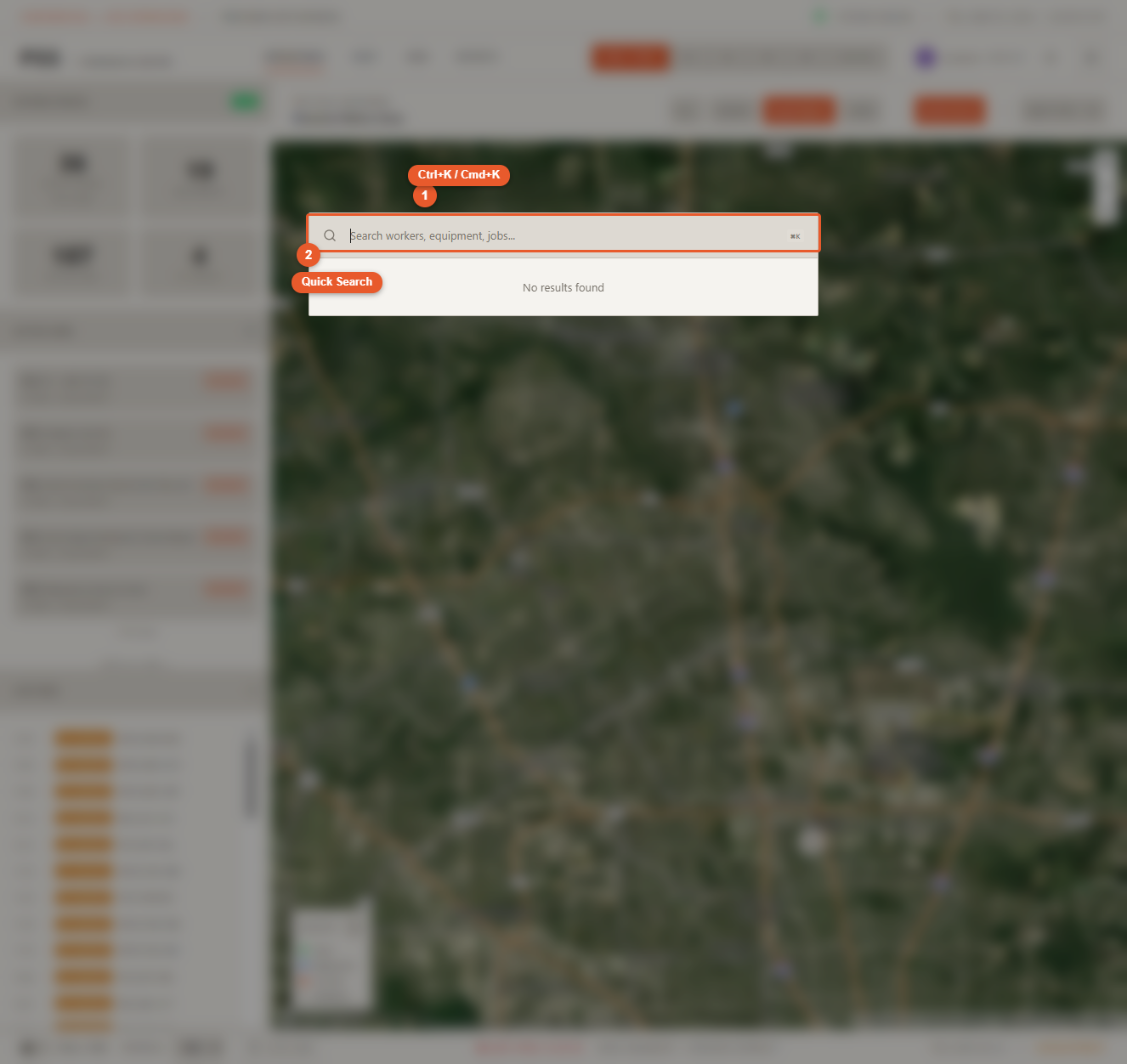
Cmd+K (Mac) / Ctrl+K (Windows) | Open global search |
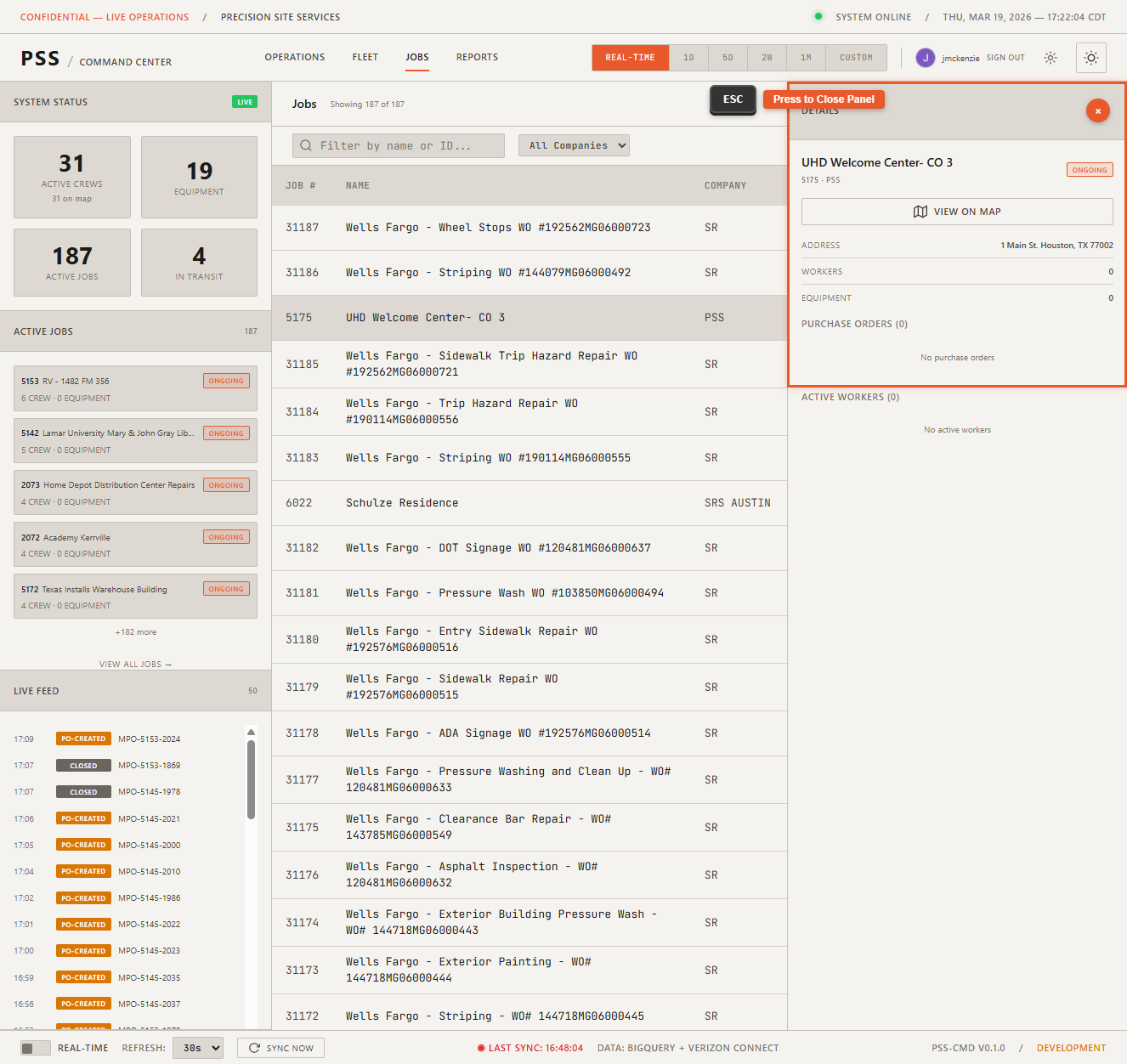
Escape | Close the open search modal, detail panel, or overlay |
Notes
- Keyboard shortcuts work from any page in the dashboard — Operations, Fleet, or Jobs.
Escapewill close the topmost open UI element. If a detail panel and search are both open, Escape closes search first.- Shortcuts are not customizable in the current version.