Status Indicators
The Command Center uses consistent color coding across all views to communicate status at a glance.
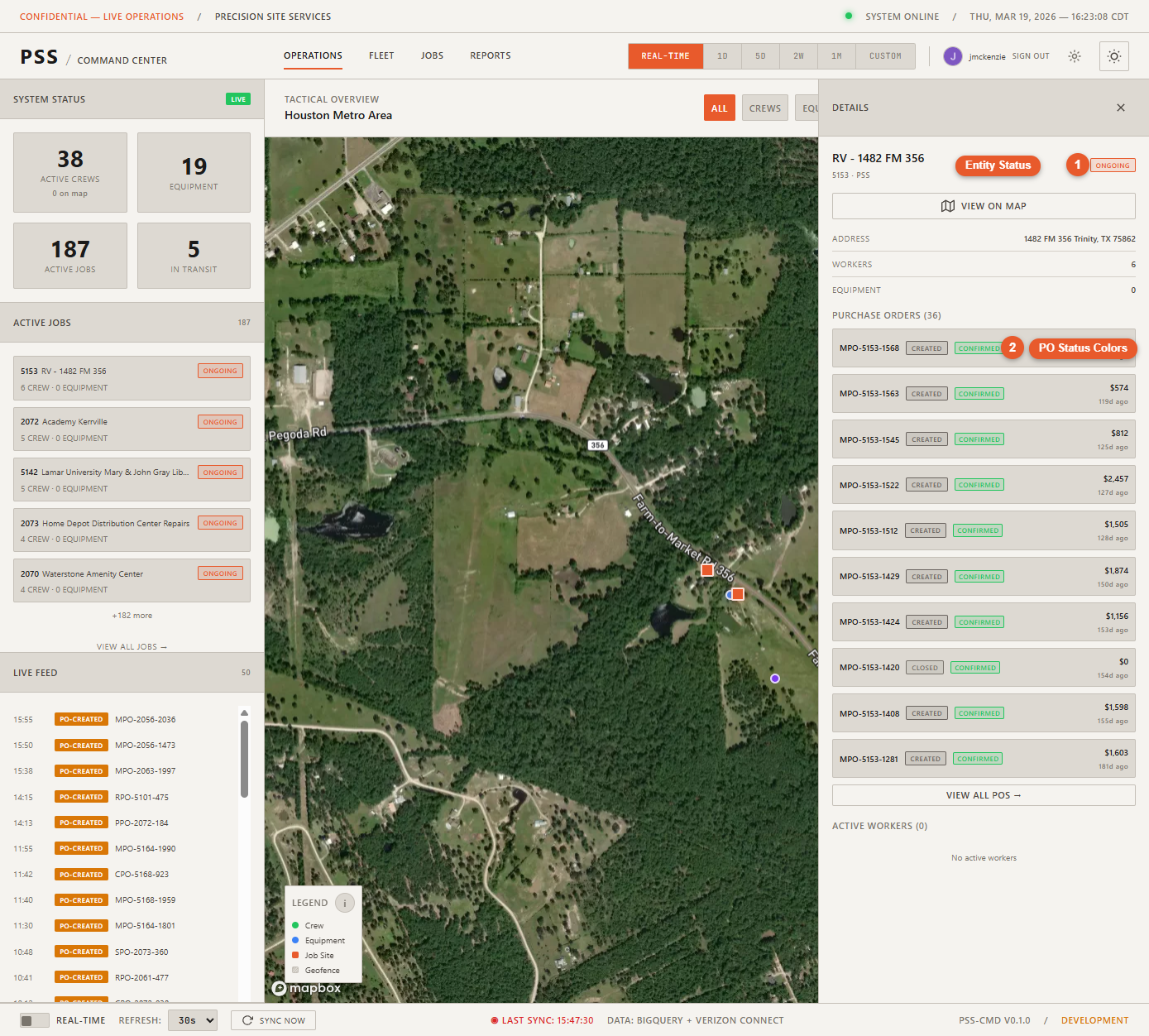
Entity status colors
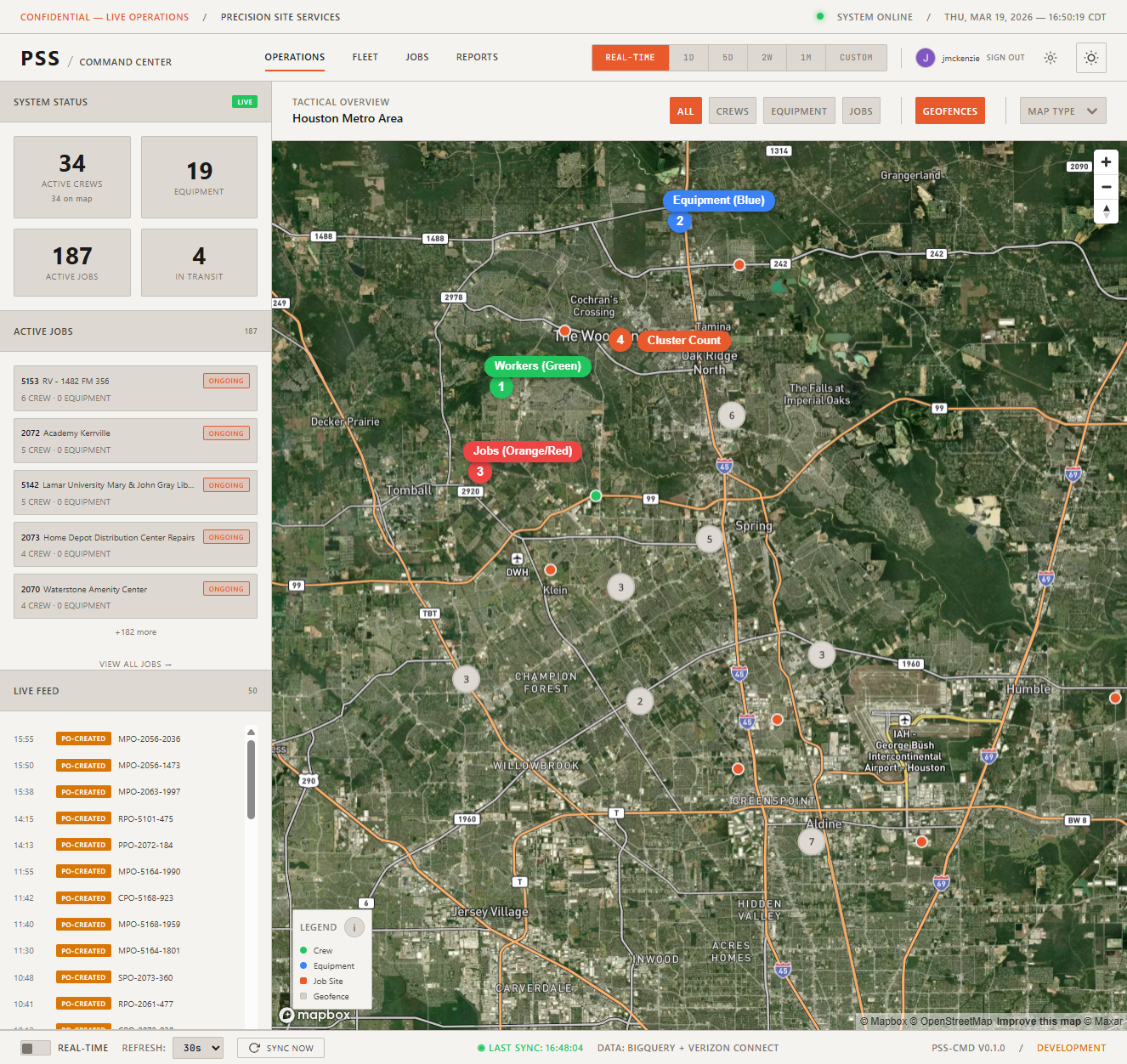
| Color | Status | Meaning |
|---|---|---|
| 🟢 Green | Online / Active | Worker is clocked in, equipment is reporting, job is active |
| 🟠 Orange | Ongoing | Work is in progress, PO is created |
| 🟡 Yellow | Pending | Action required — PO submitted and awaiting approval |
| 🔴 Red | Alert / Offline | Equipment offline, geofence breach, sync failure |
These colors appear on:
- Map marker borders
- Status badges in detail panels
- PO status badges on worker and job panels
Last Sync indicator (status bar)
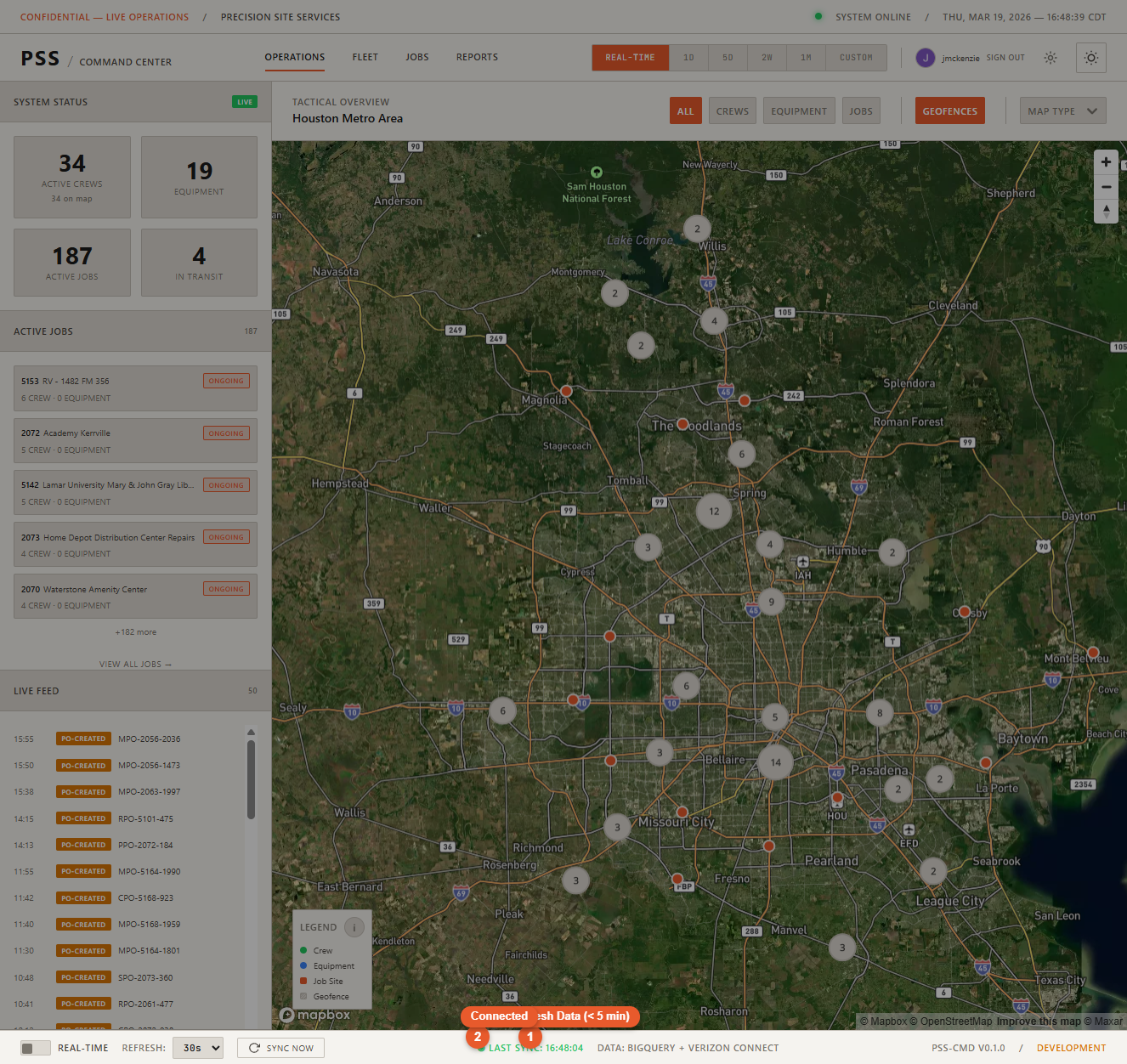
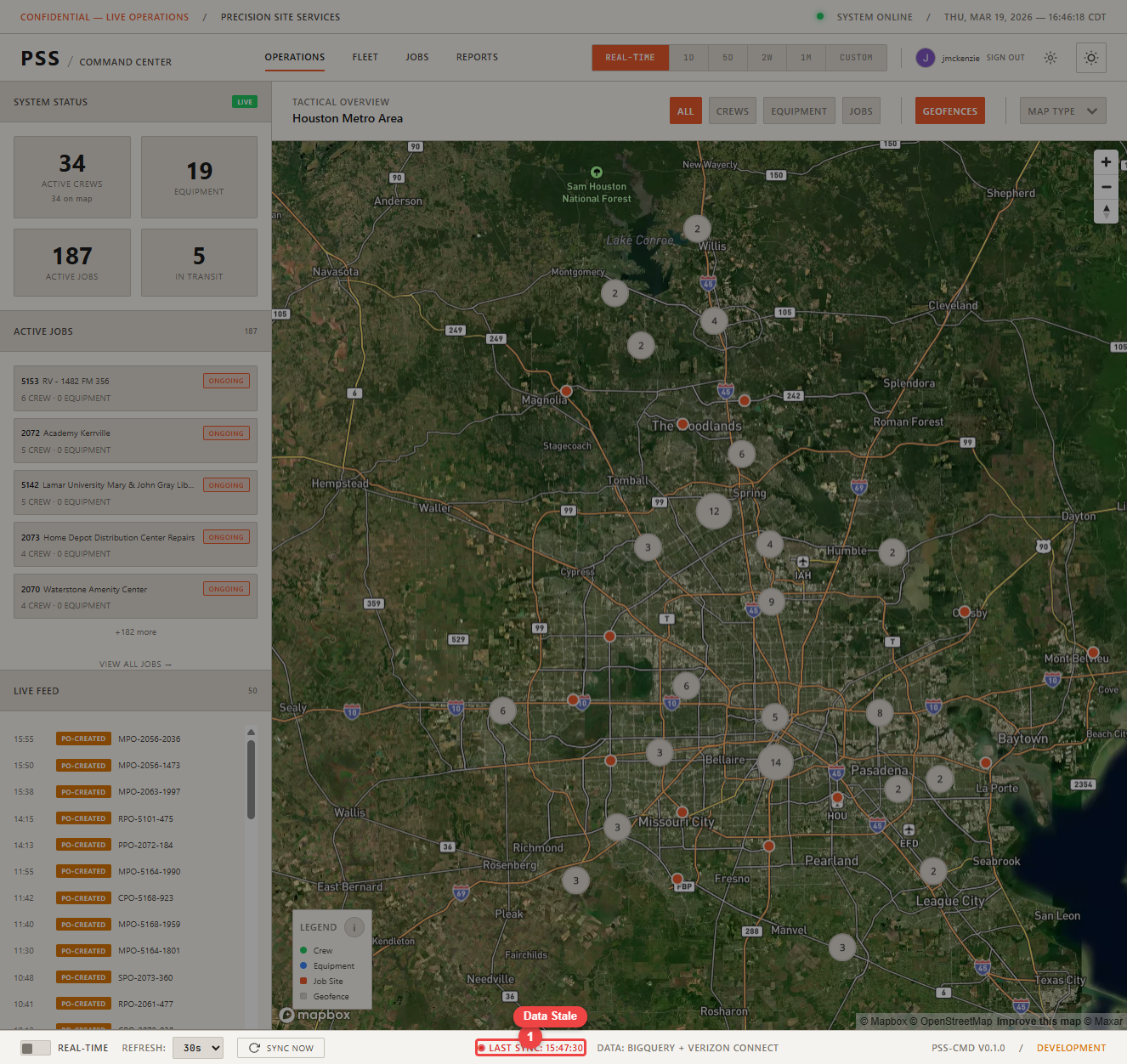
The Last Sync timestamp in the bottom status bar changes color based on data freshness:
| Color | Meaning |
|---|---|
| Green | Synced within the last 5 minutes — data is fresh |
| Red | Last sync was more than 5 minutes ago, or sync failed |
If the indicator turns red, click Sync Now to force a refresh. If it remains red after syncing, there may be a connectivity issue with one of the external data sources.
Connection status
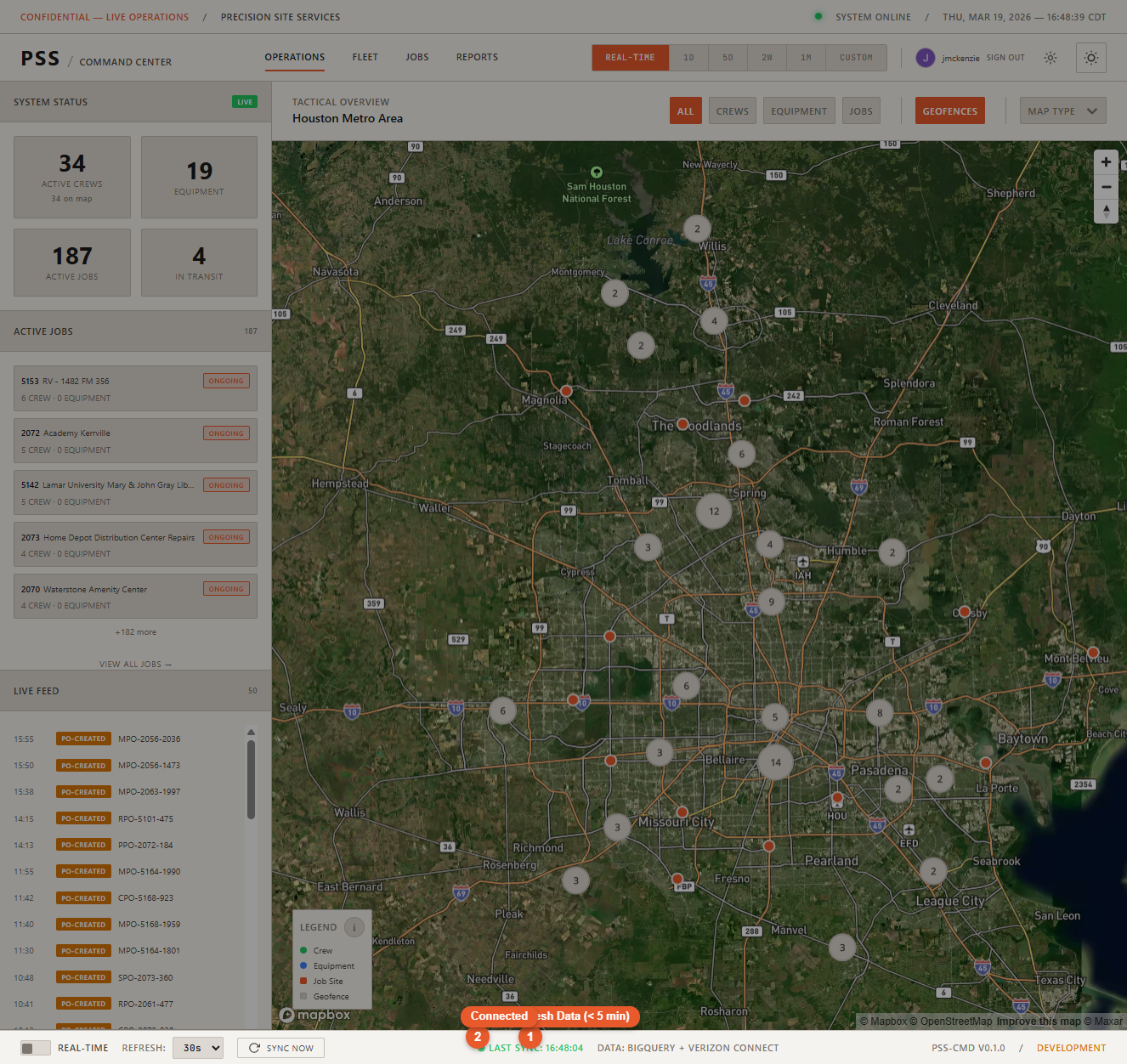
The connection status indicator in the status bar shows whether the dashboard can reach the backend API:
- Connected (green dot) — All systems reachable
- Reconnecting (yellow dot) — Temporary disruption, retrying
- Disconnected (red dot) — Cannot reach the API; data is stale
PO status badge colors
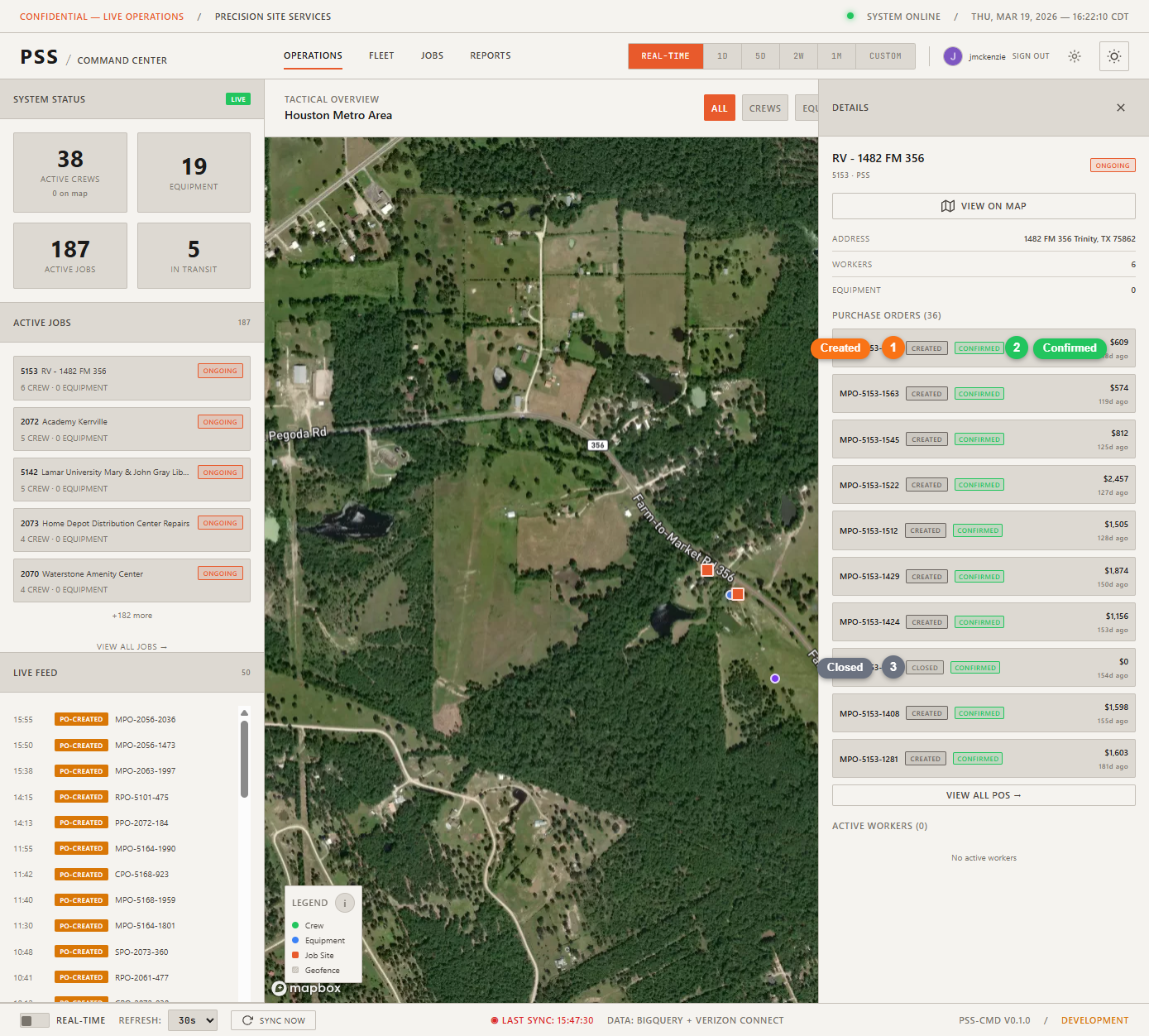
See PO Lifecycle for the specific badge colors mapped to each purchase order status.