Equipment
Equipment location data comes from Verizon Connect Reveal GPS tracking units installed on PSS vehicles and machinery.
How equipment location works
Verizon Connect devices report their position approximately 4 times per day. The Command Center polls Verizon's API every 30 minutes to pick up any new positions. This means equipment locations on the map can be up to 30 minutes behind the most recent Verizon report.
This is a hardware constraint, not a software limitation. The devices themselves are the limiting factor in update frequency.
Equipment pins on the map
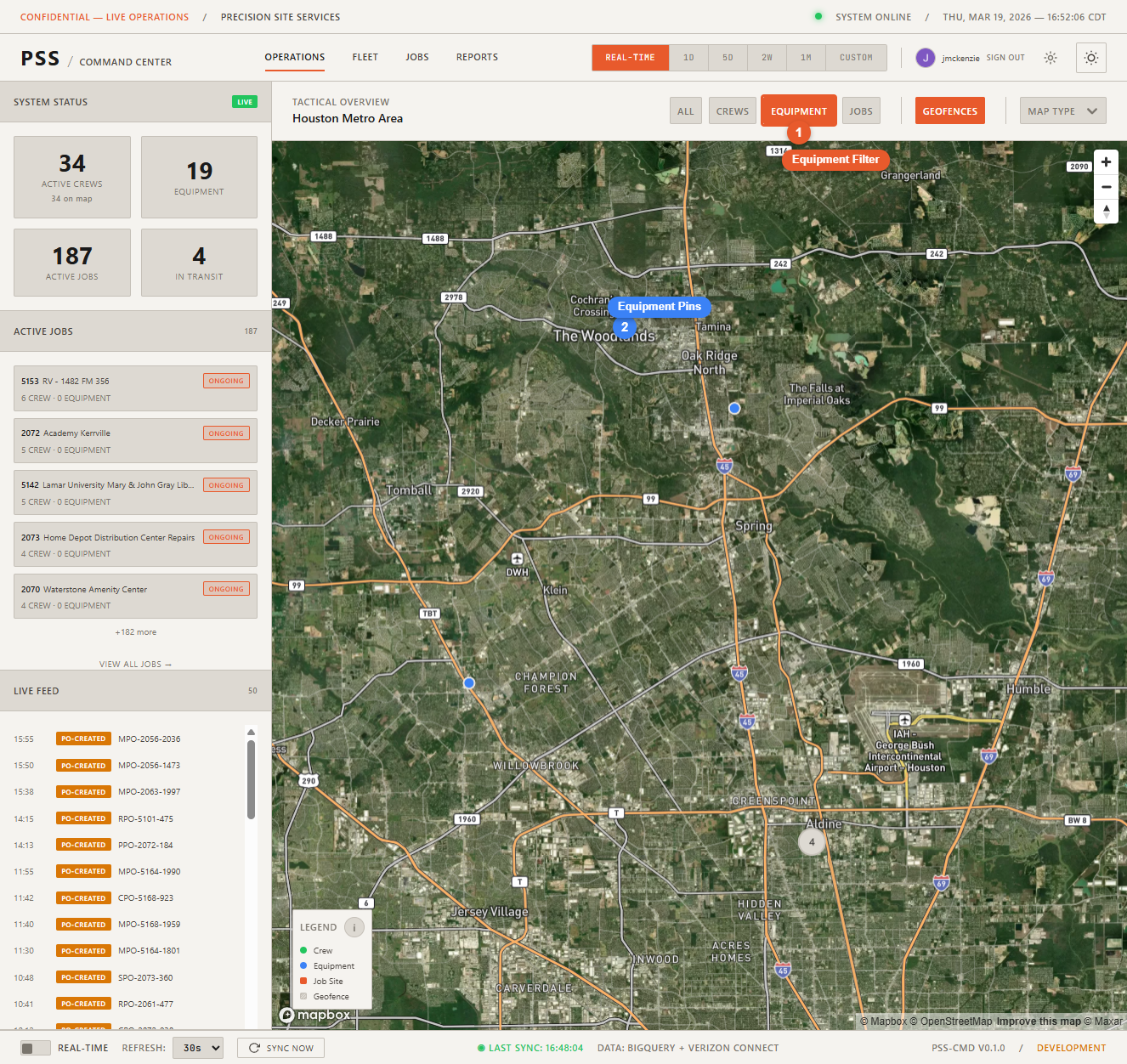
Each tracked piece of equipment with a known GPS position appears as a pin on the map. Use the Equipment filter button at the top of the map to show only equipment pins.
Equipment detail panel
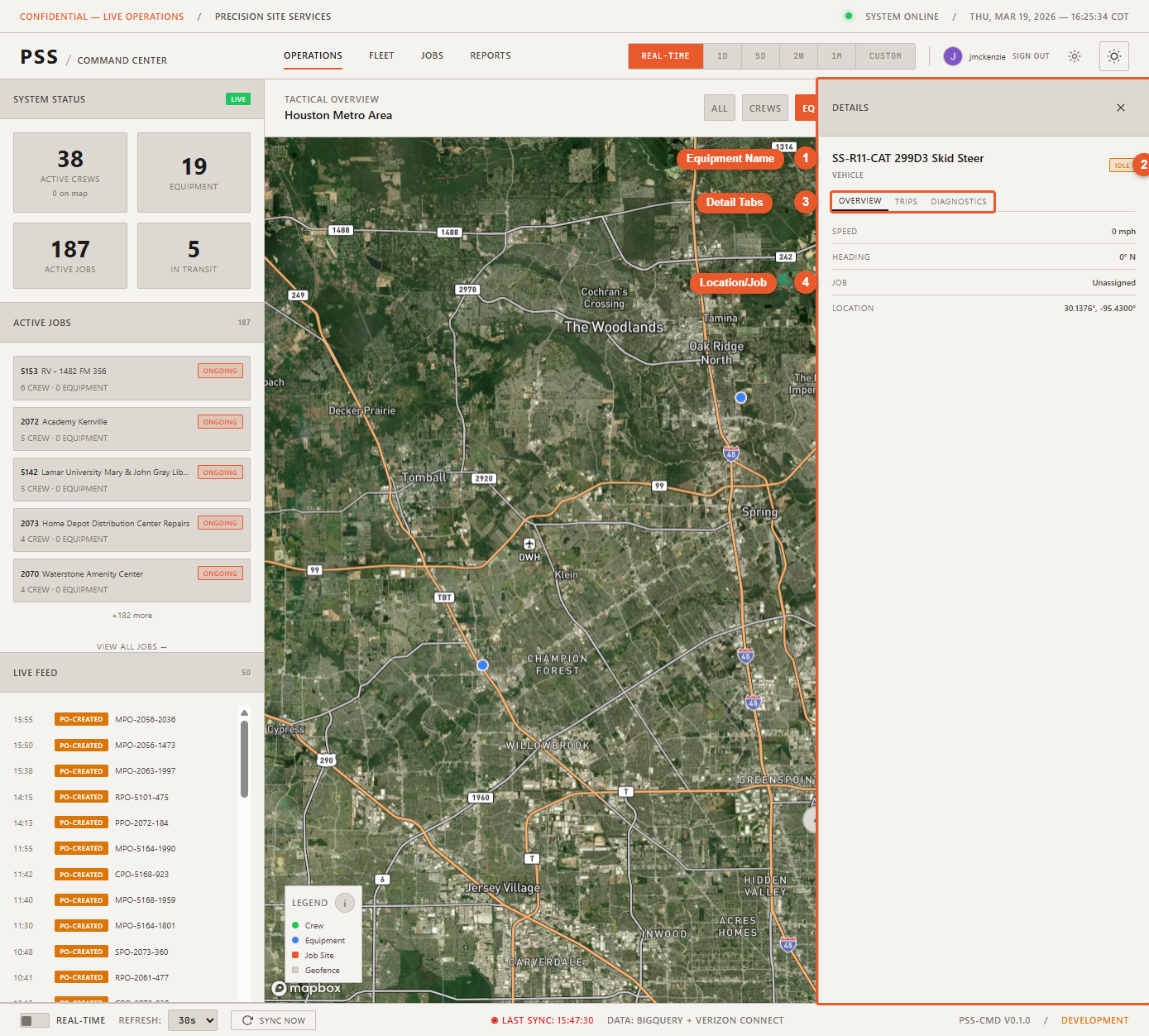
Click an equipment pin to open the detail panel. It shows:
- Name — Equipment identifier or description
- Type — Category of equipment (e.g., excavator, trailer, truck)
- Status — Online, offline, or idle
- Last reported speed — Speed at the time of the last GPS report
- Job assignment — Which job site this equipment is currently assigned to
- Movement History button — Opens the movement path for this equipment
Fleet page
For a full table view of all equipment (not just those visible in the current map viewport), use the Fleet page.