Live Feed
The Live Feed is a real-time event stream showing activity as it happens across your field operations.
Feed panel (sidebar)
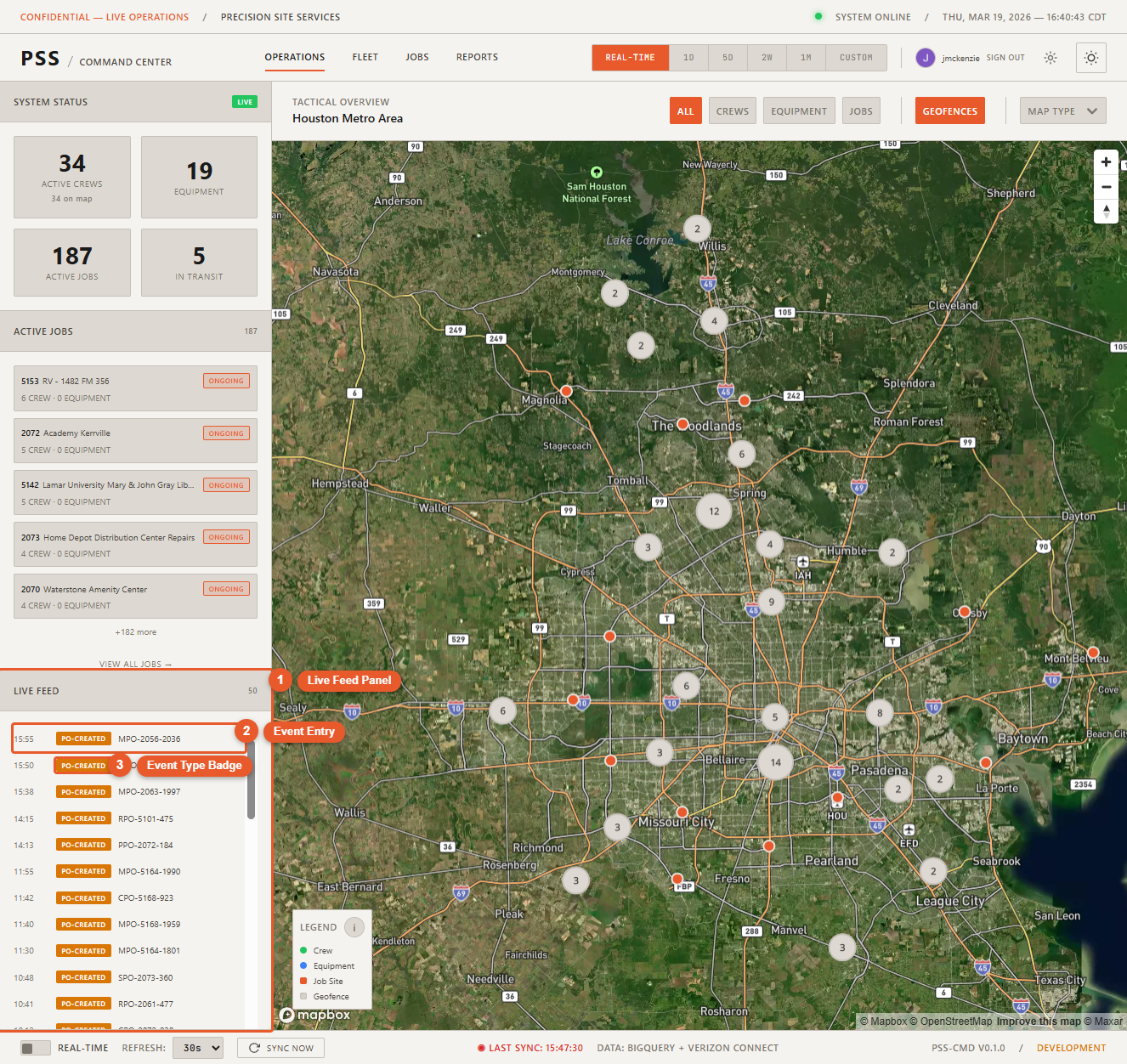
On the Operations page, the Live Feed panel appears in the right sidebar. It shows the most recent events in a scrollable list. Each event displays:
- Time — When the event occurred
- Type — The category of event (clock-in, PO event, geofence alert)
- Entity / Details — Who or what triggered the event
- Severity — Color-coded indicator (informational, warning, alert)
The panel has a maximum height and scrolls independently. Click View Live Feed → at the bottom of the panel to open the full-page feed.
Full feed page (/feed)
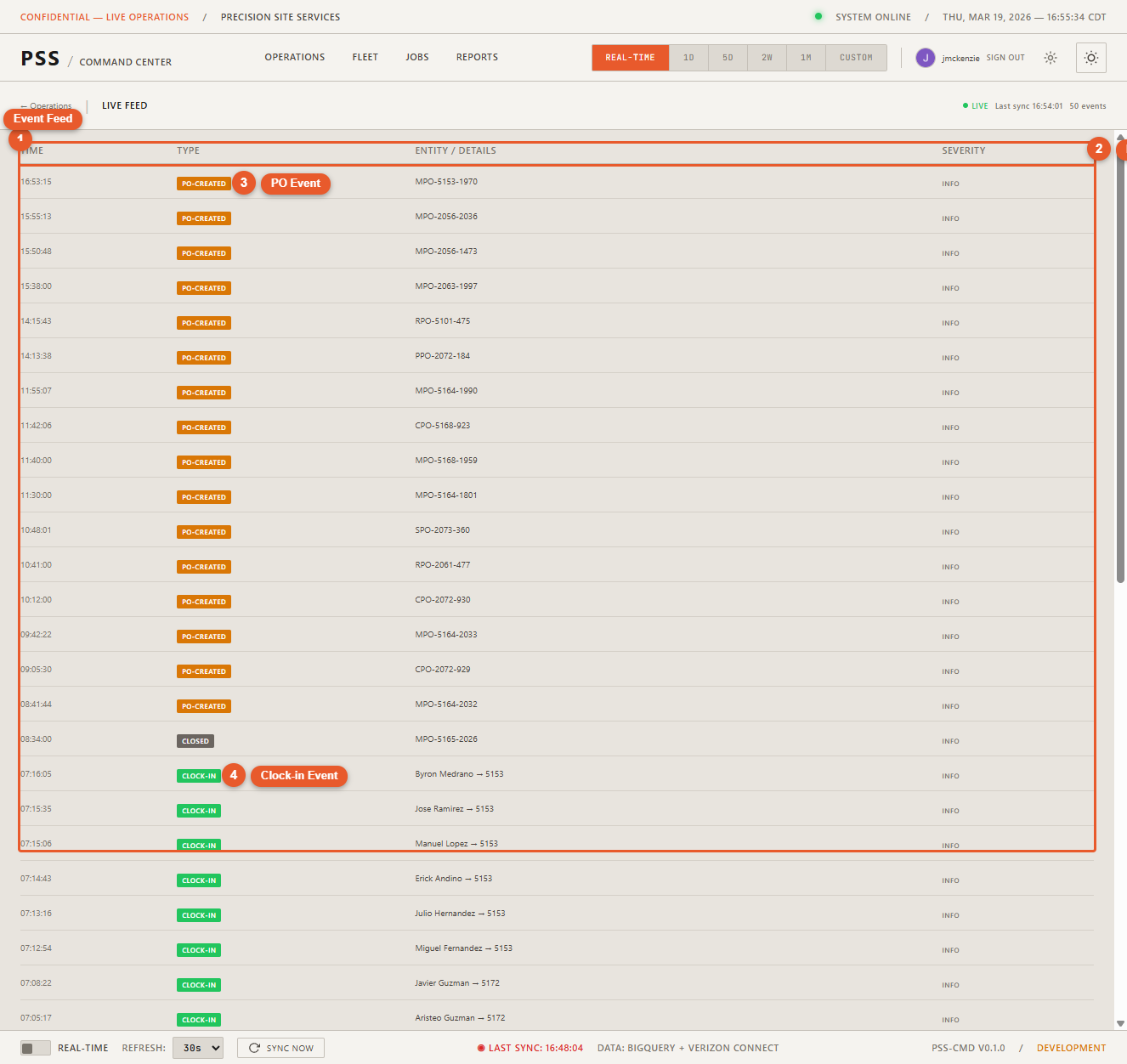
The dedicated feed page shows the same events in a full-width scrollable table with more detail. Access it via the View Live Feed button in the sidebar panel or by navigating directly to /feed.
The full feed page shows a "Live" indicator and the last sync timestamp in the header. Use the back arrow to return to the Operations map.
Event types
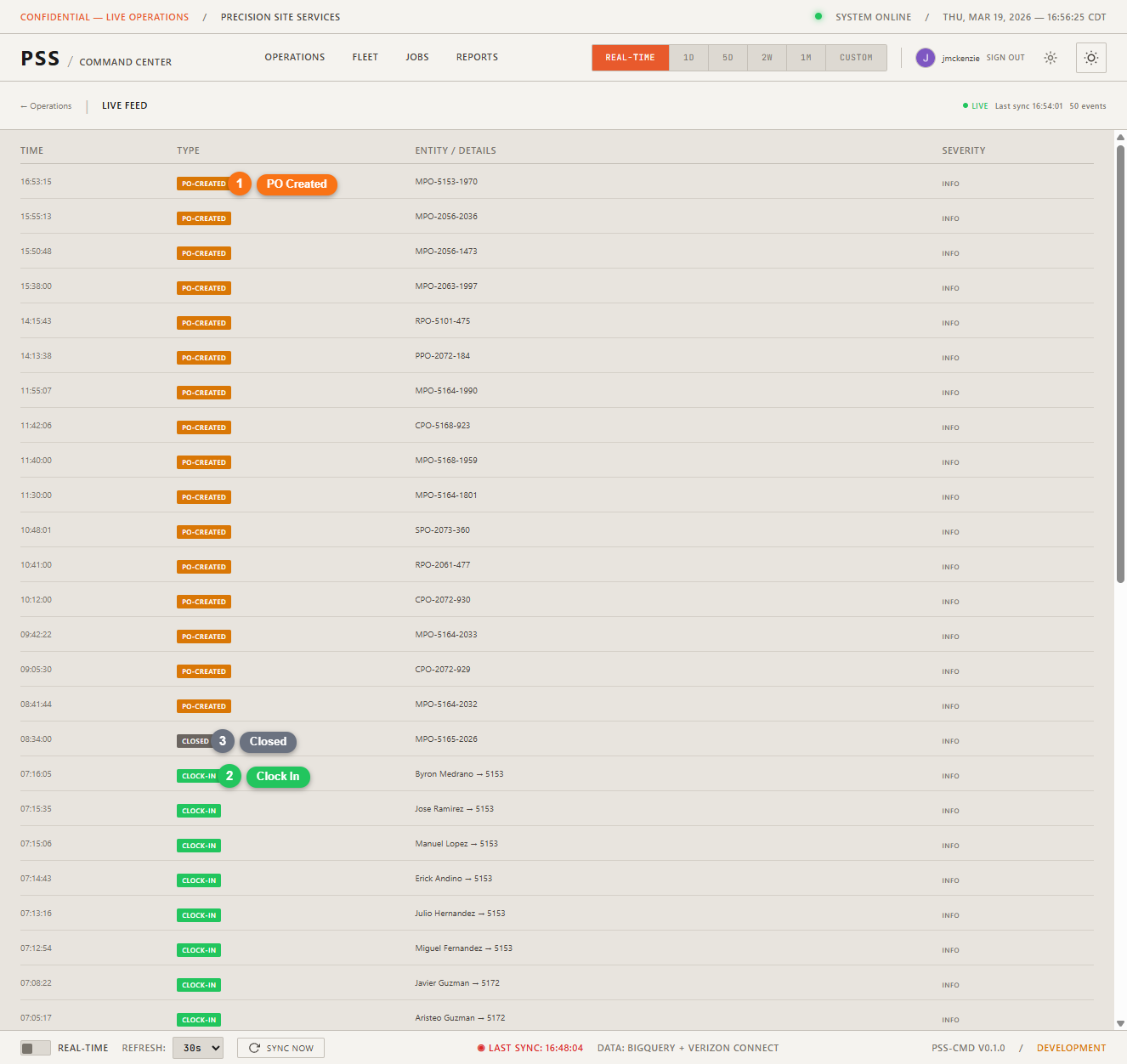
| Type | Description |
|---|---|
| Clock-in | A worker signed in at a job site |
| Clock-out | A worker signed out |
| PO Created | A new purchase order was submitted |
| PO Confirmed | A PO was confirmed by a project manager (distinct from creation — a PO created days ago may only be confirmed now) |
| PO Status Change | A PO moved to a new status (Submitted, Approved, etc.) |
| Geofence Entry | An equipment unit entered a geofenced area |
| Geofence Exit | An equipment unit exited a geofenced area |
The feed distinguishes between PO Created and PO Confirmed. If a PO was created 6 days ago but confirmed 2 hours ago, the feed shows a PO Confirmed event — not PO Created. This is determined by comparing the PO's creation date against its confirmation date.
Refresh rate
The feed refreshes every 5 minutes automatically. Click Sync Now in the status bar to force an immediate update.