Workers
Worker data comes from the PSS Job Sign-In AppSheet app, which field employees use to clock in and out each day.
How worker location works
Worker GPS coordinates are captured only at the moment of clock-in and clock-out — not continuously throughout the day. This means the map shows where each worker was when they last clocked in or out, not their current real-time position.
This is by design: continuous GPS tracking is not how the AppSheet sign-in system works. What you see on the map is the most recent known position for each worker.
The worker data refreshes every 5 minutes, so newly clocked-in workers appear on the map within 5 minutes of signing in.
Worker pins on the map
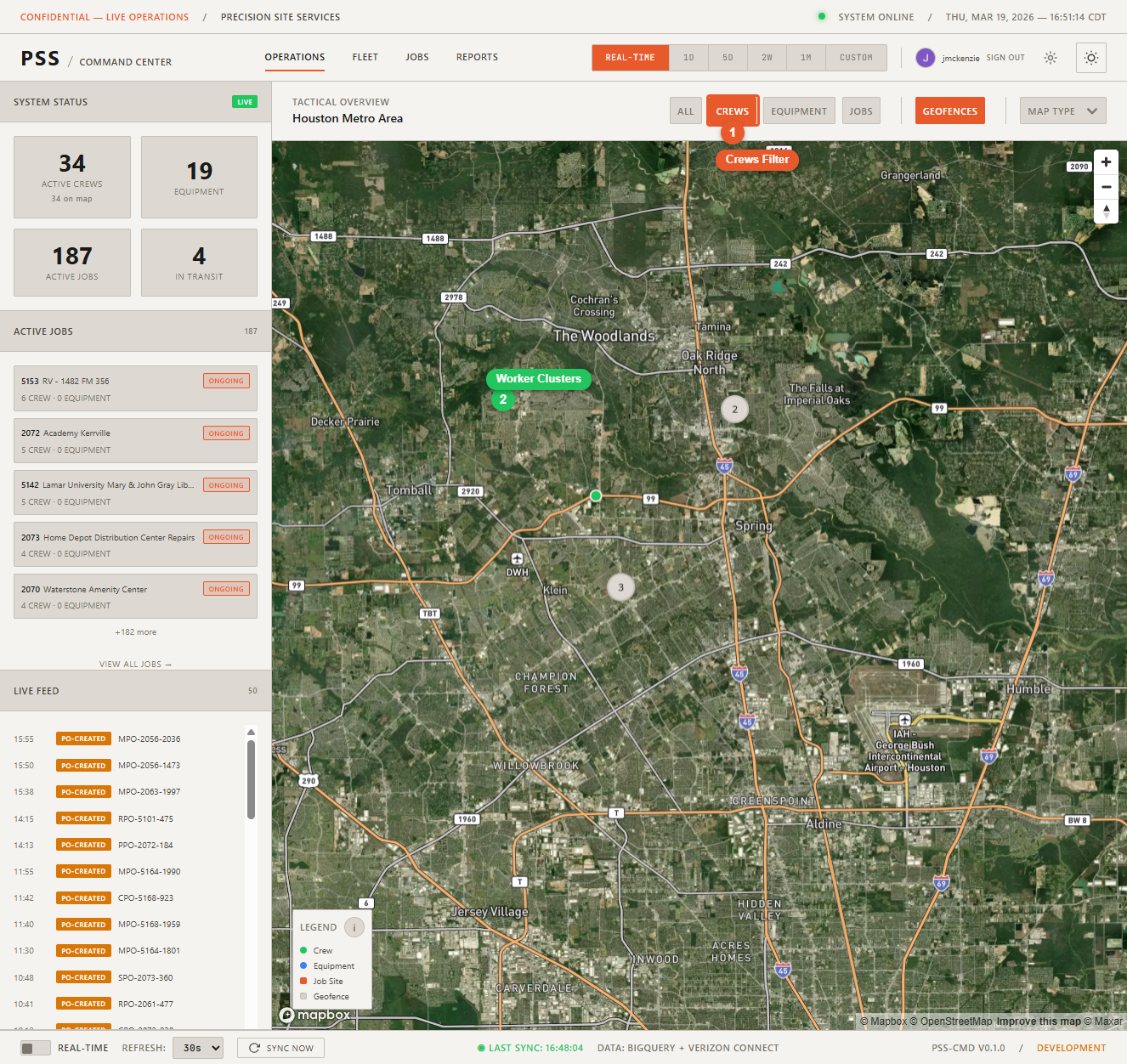
Each worker who has clocked in today appears as a pin on the map. Workers who have not clocked in do not appear.
Worker detail panel
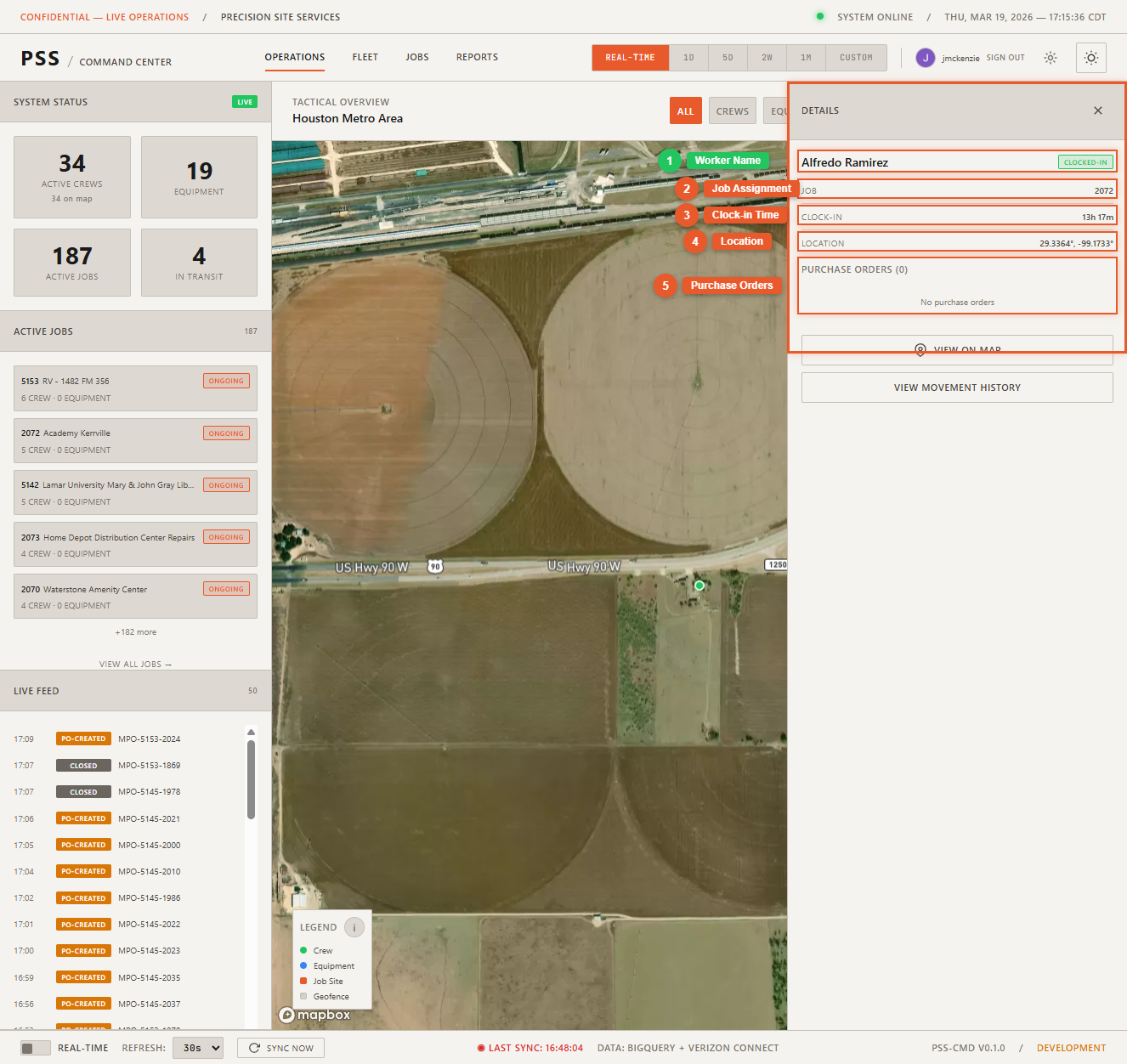
Click a worker pin to open the detail panel. It shows:
- Name — Full name of the worker
- Status — Active (clocked in) or inactive
- Job assignment — Which job site they clocked in at
- Clock-in time — When they signed in today
- POs created — Purchase orders this worker has created today
- Movement History button — Opens the path this worker has taken today and in prior days
Sync Now
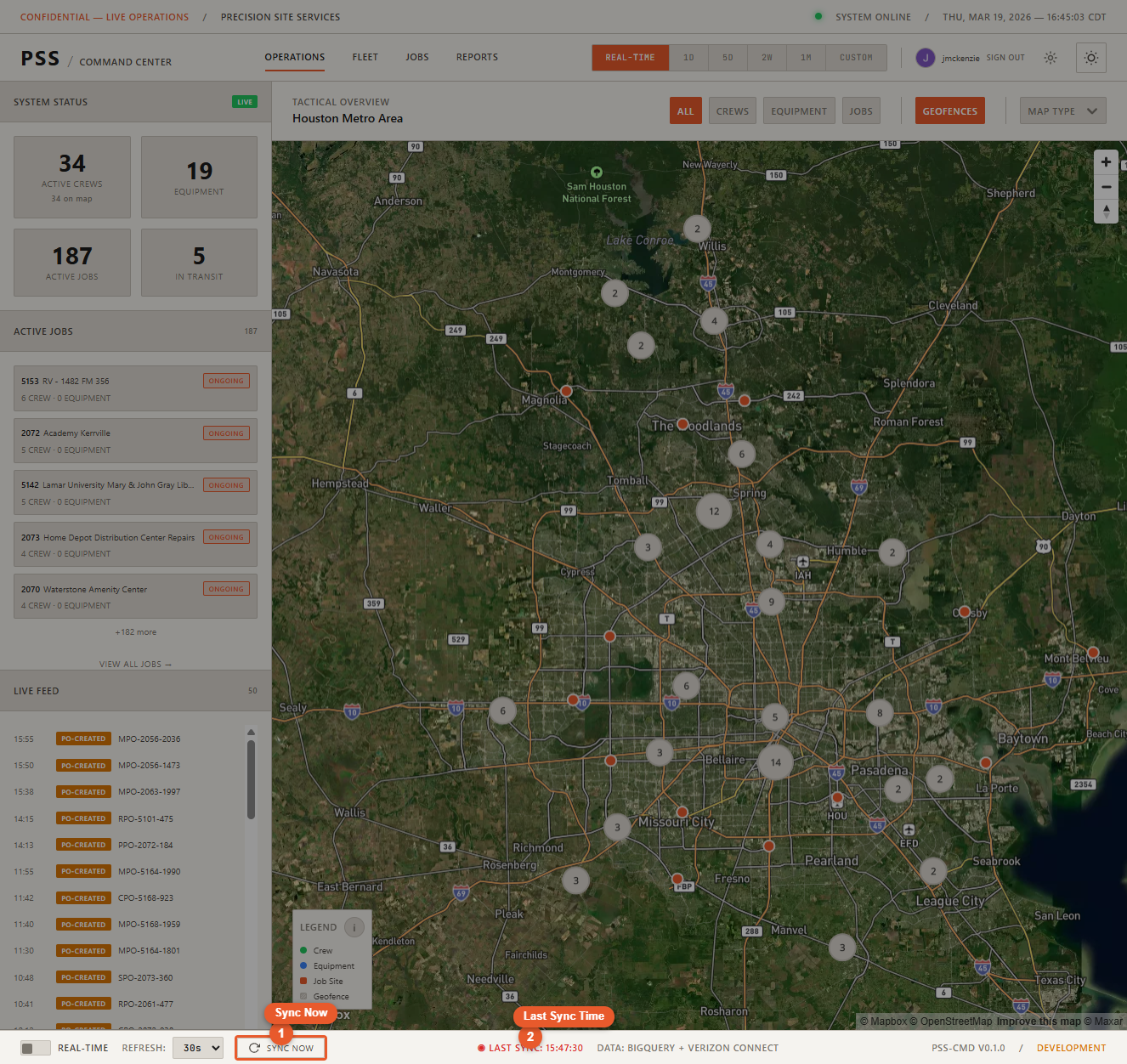
If you need the most current worker data immediately (e.g., after a crew just clocked in), click Sync Now in the status bar to force an immediate refresh.