Jobs on the Map
Active jobs are plotted on the map based on their geocoded address. Each job site pin shows the location of ongoing work.
Job pins
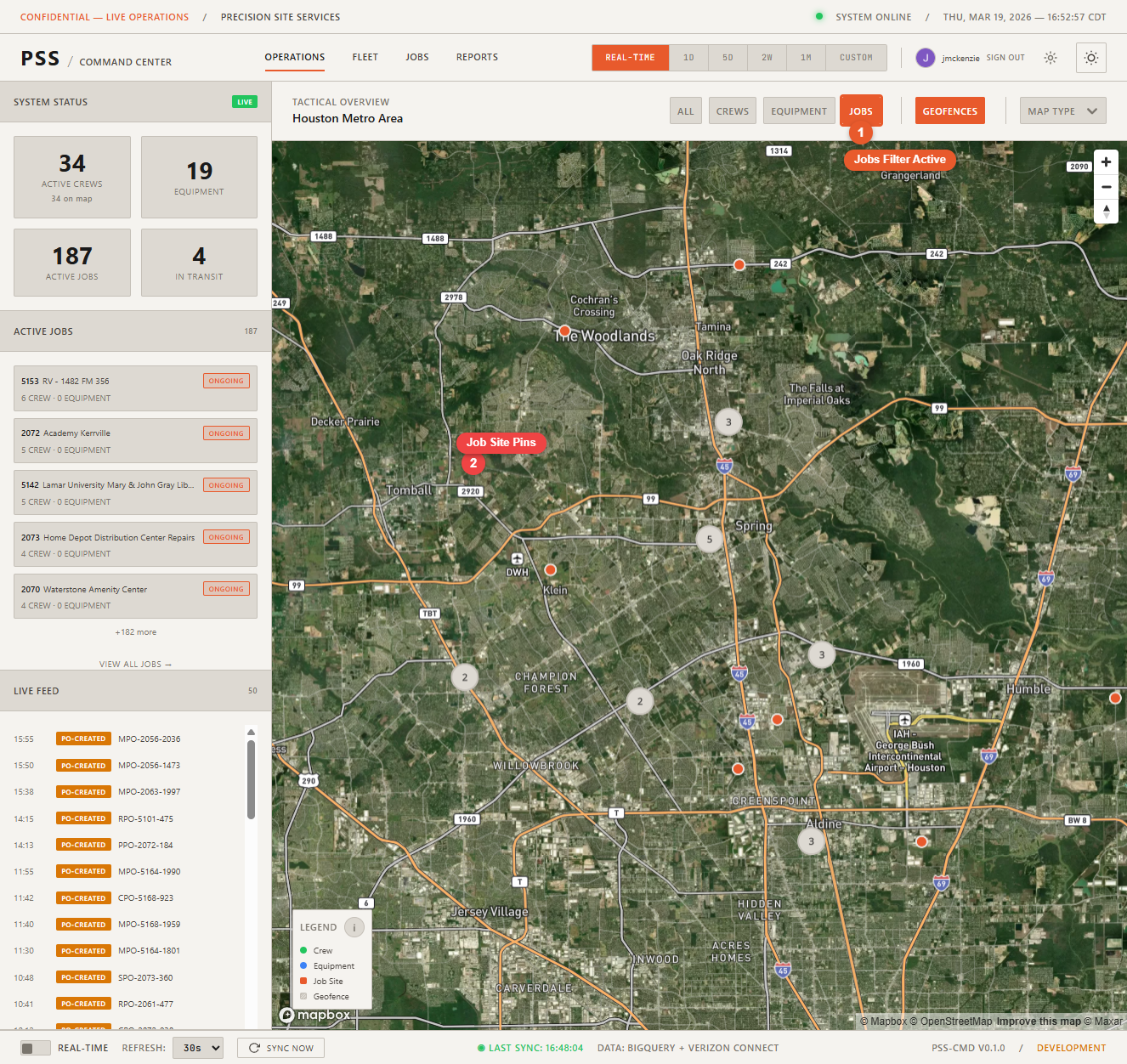
Use the Jobs filter button at the top of the map to show only job site markers, hiding worker and equipment pins for a cleaner view.
Job detail panel
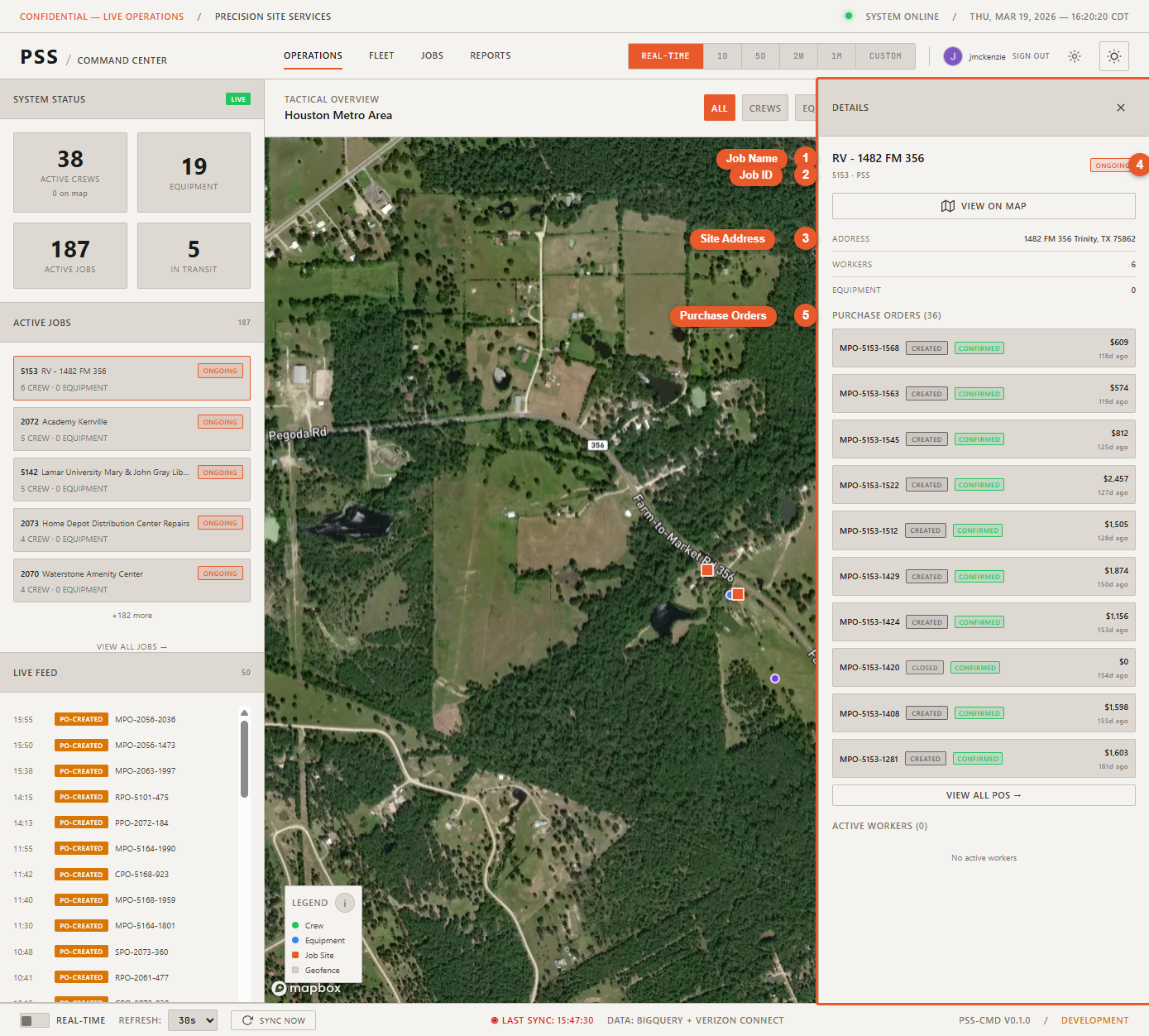
Click a job pin to open the detail panel. It shows:
- Job ID — The internal identifier for the job
- Job name — Descriptive name of the project
- Address — Physical location of the job site
- Podio stage — Current stage of the project in Podio:
- Pre-Construction
- Mobilizing
- Construction
- Demobilization
- Retainage
- Crew on site — Workers currently clocked in at this job
- Equipment on site — Equipment assigned to this job
- POs for this job — Purchase orders associated with this job, with status badges
View on Operations Map
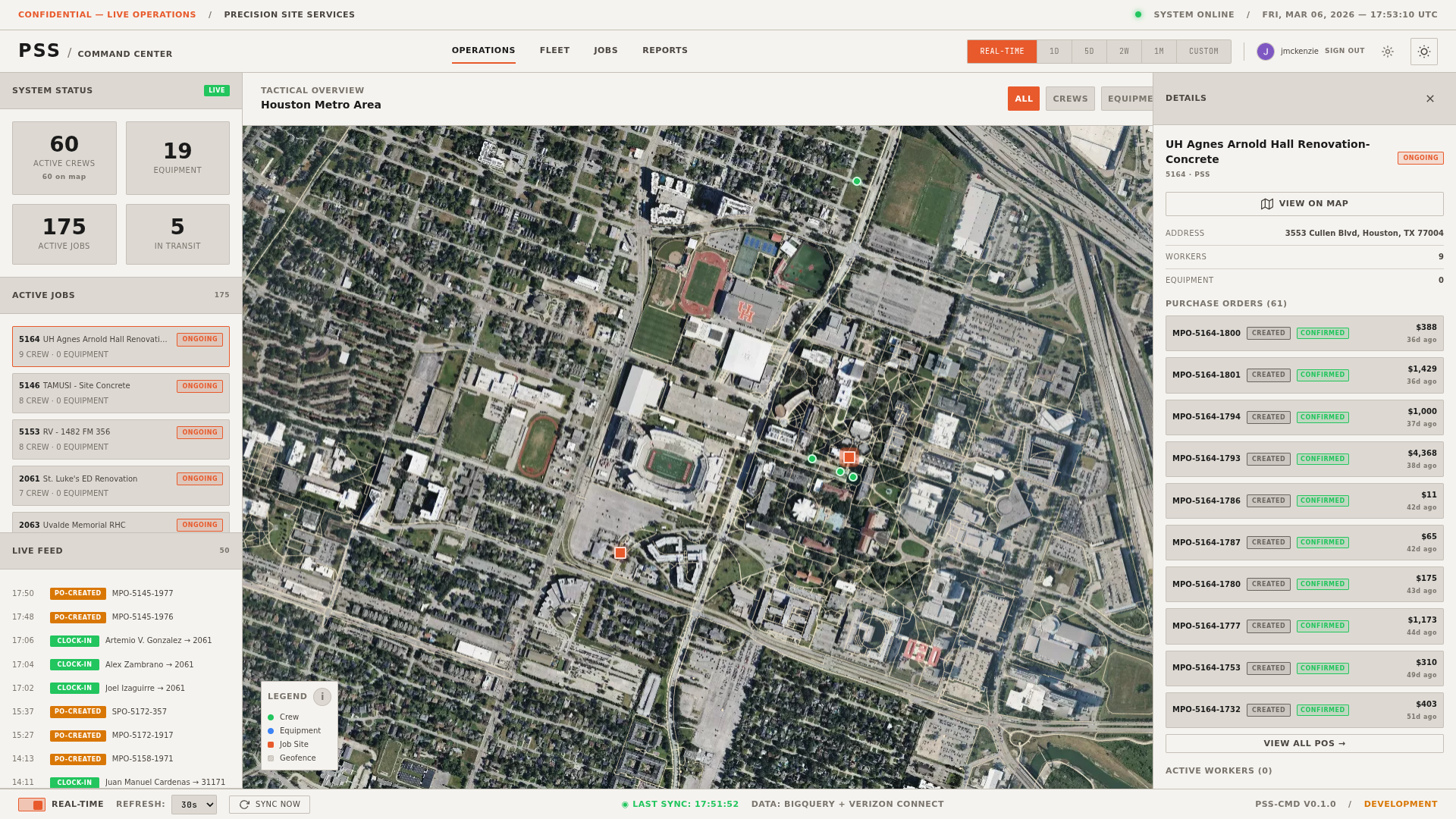
From the Jobs page, clicking View on Operations Map on any job row zooms the map to that job's location and opens its detail panel automatically.
Jobs page
For a full sortable, searchable table of all jobs, use the Jobs page.