Job Cost Intelligence
Your guide to the PM dashboard — jobs, POs, budgets, and the Action Queue.
What is JCI?
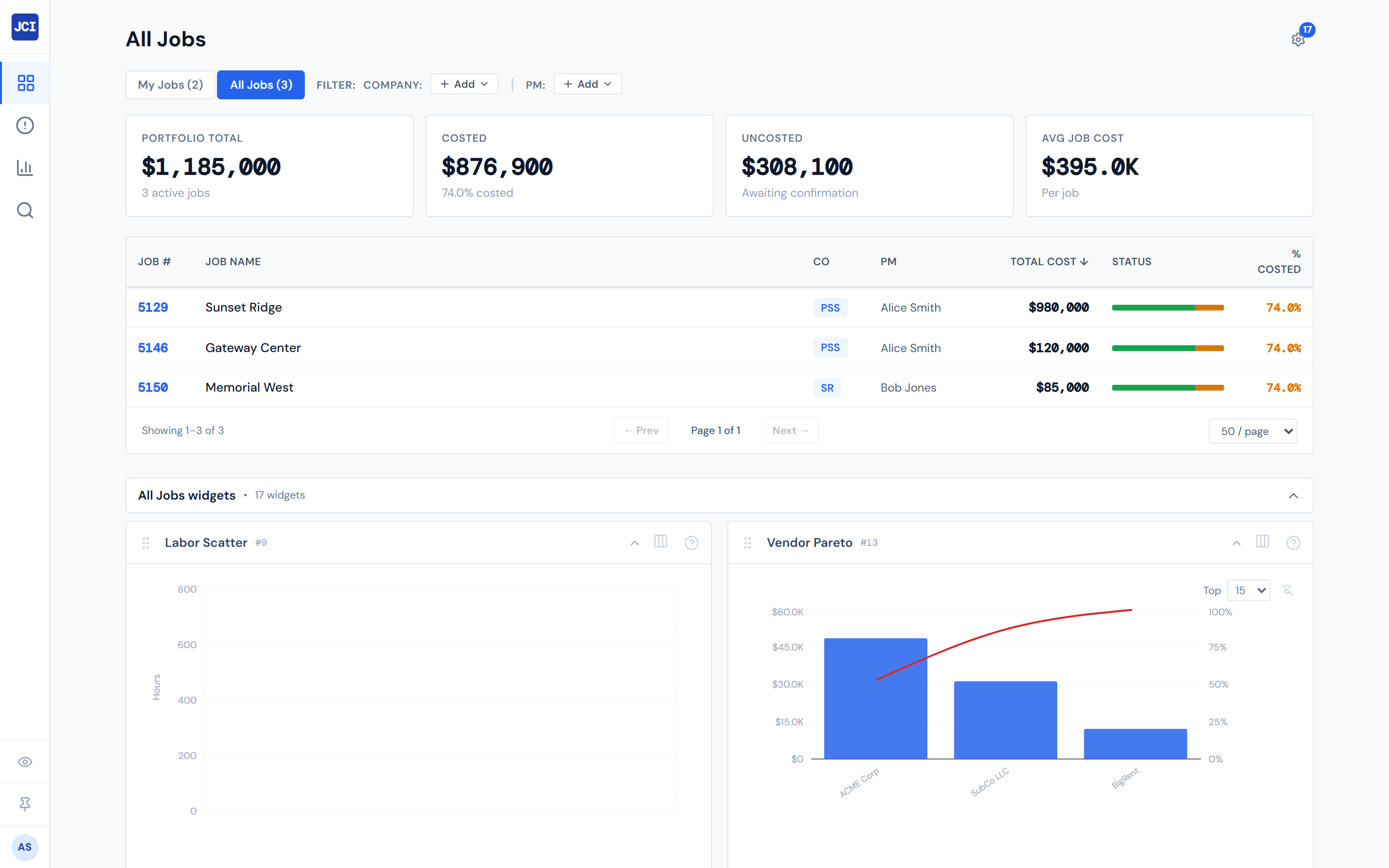
JCI is the project manager dashboard for Precision Site Services and its sister companies. It pulls together job costs, purchase orders, budgets, daily field data, and billing into one view so you can track where every job stands without hunting across systems.
If you've ever opened three tabs to answer "what did we spend on this job last week?" — that's the question JCI is built to answer in one click.
Who it's for
- Project Managers — your daily home for tracking jobs, confirming POs, and clearing the Action Queue
- Operations — site activity, equipment, and crew visibility across every active job
- Executives — portfolio-level view of cost, billing, and margin across all eight operating companies
What you'll find in these docs
| Chapter | What's there |
|---|---|
| Getting Started | Signing in, the interface, and your first five minutes |
| All Jobs | The main jobs table, filters, and how to find a job fast |
| Job Detail | The five tabs on a job — spend, POs, field data, budget |
| Action Queue | Daily triage: POs waiting on you and missing cost codes |
| Analytics | Portfolio view, trends, and where the dollars are going |
| Widgets | Hide, show, and arrange the cards you see on each page |
| Reference | PO colors, statuses, glossary, FAQ, and refresh rates |
Open the dashboard
Ready to use it? The live dashboard lives at dash.precisionsiteservices.com. Bookmark it.
New to JCI?
Walk through Your First Five Minutes — a five-step tour that gets you from sign-in to "I know where everything is" in one sitting.