Categories
The dashboard uses category labels almost everywhere — on PO rows, in scorecards, on charts, and in the budget form. What's not obvious is that there are two different category lists, and you'll see both depending on which part of the app you're in. This page explains why.
There are 7 categories on the purchase-order side of the dashboard and 9 categories on the budget-entry side. They aren't versions of each other — they're two different systems. The dashboard maps between them automatically.
Why two lists?
The two lists serve different purposes.
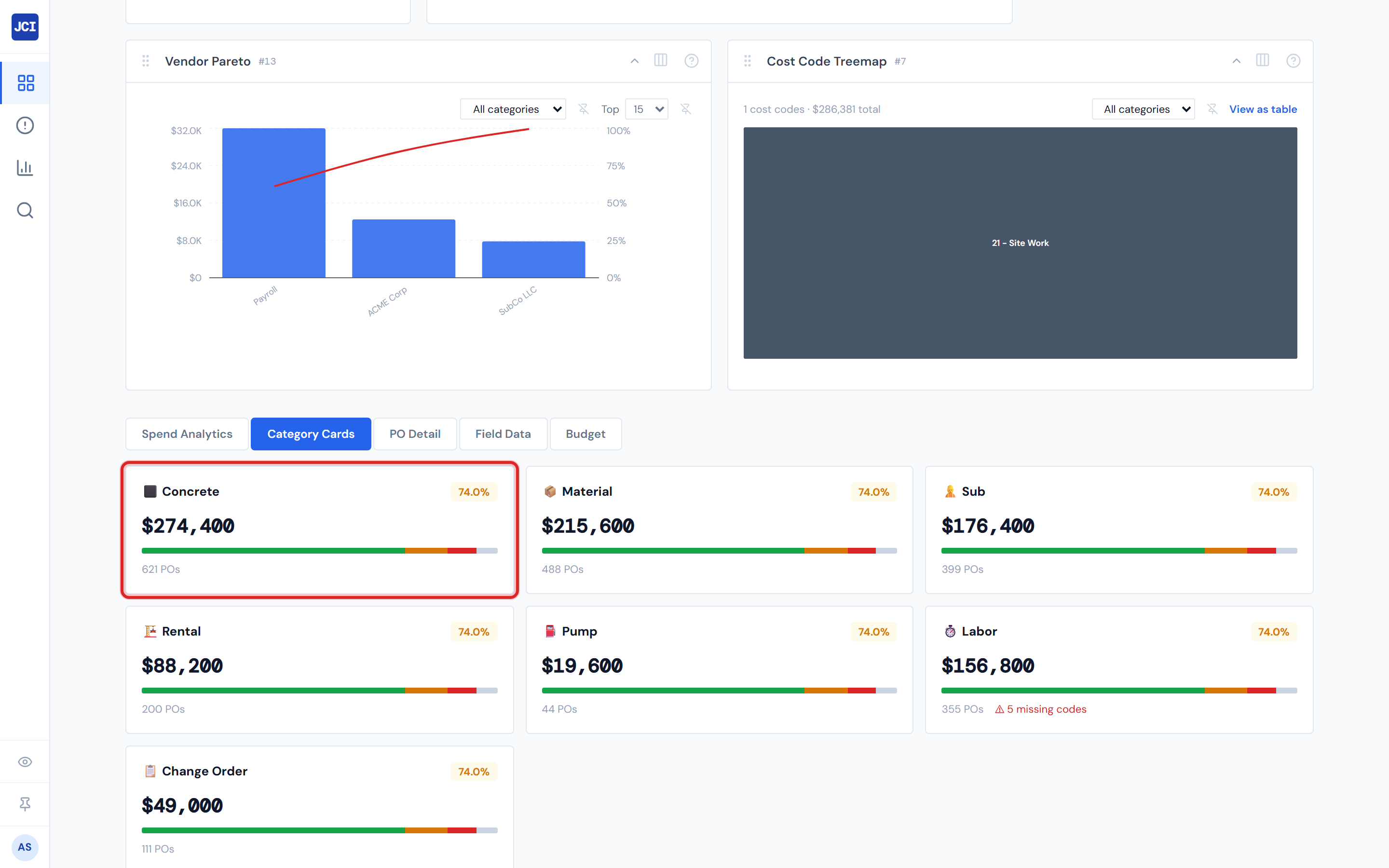
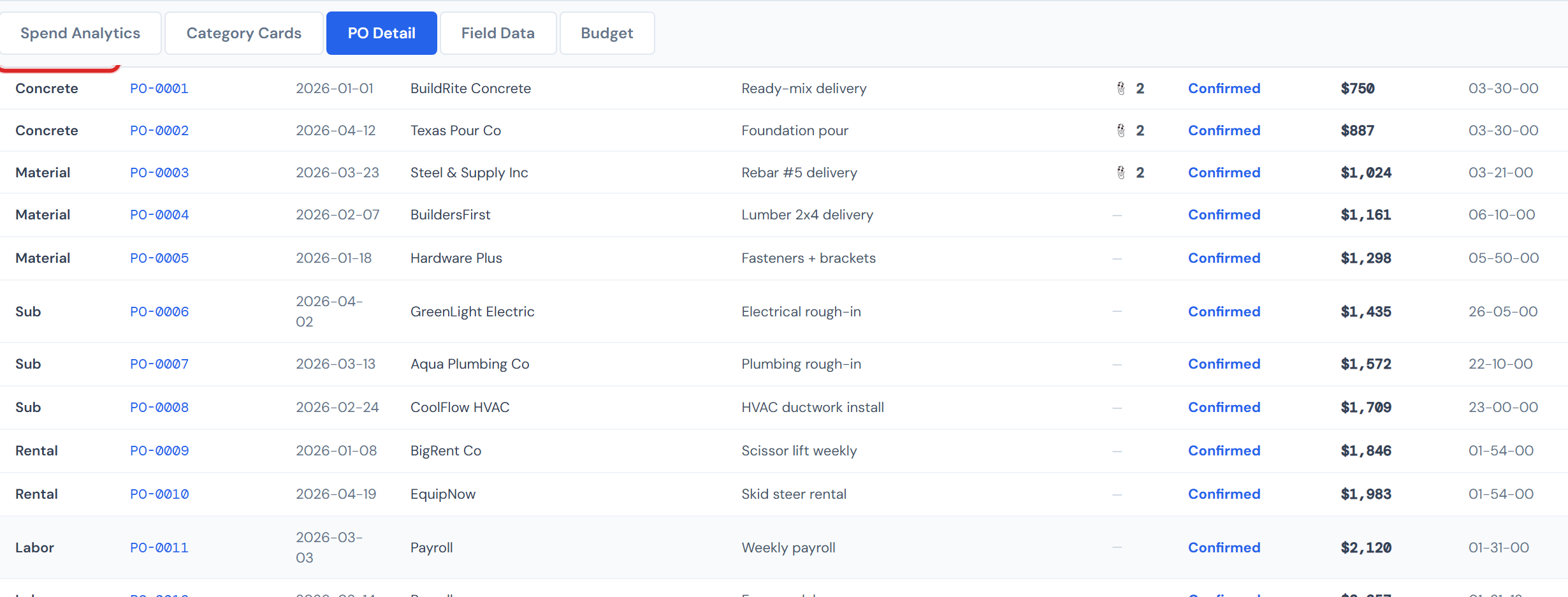
The 7 PO categories tag every purchase order and labor entry as it lands in the dashboard. They answer the question: what kind of cost is this? The answers are short and operational — Concrete, Material, Sub, Rental, Pump, Labor, Change Order.
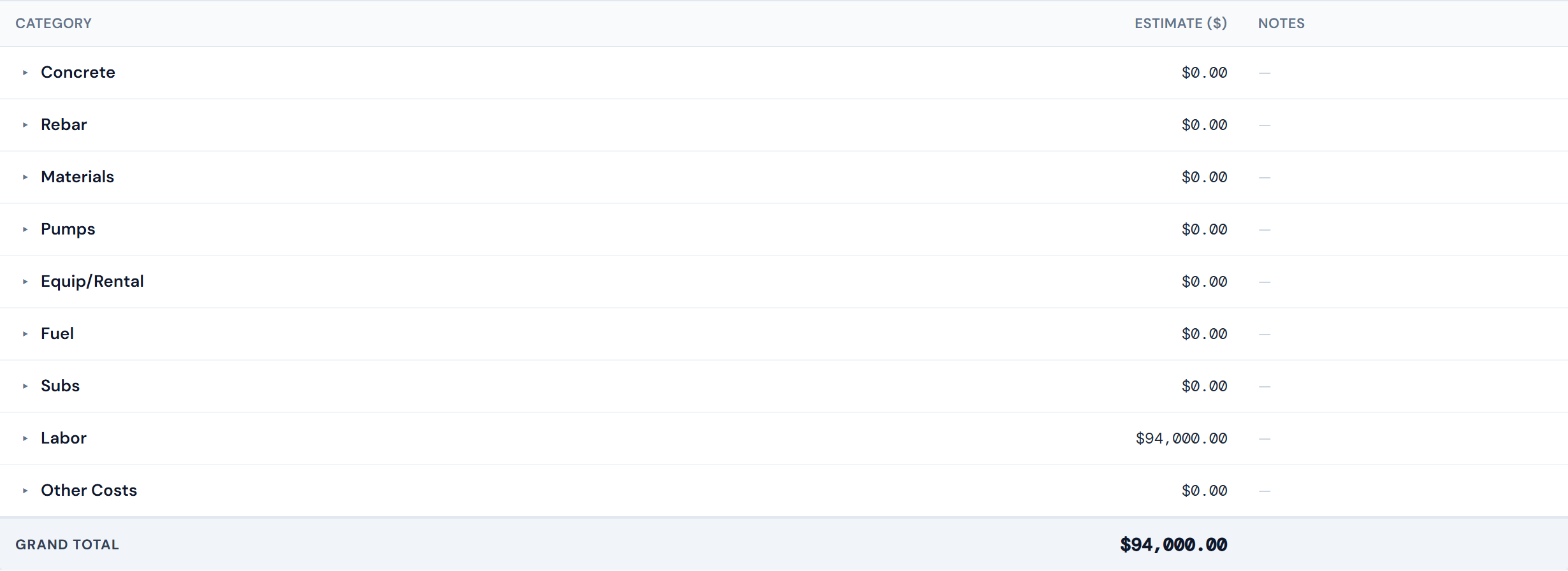
The 9 PM Sheet budget categories are the buckets PMs use when entering a budget. They mirror how PMs think about budgeting on a job — which is more granular in places. Rebar gets its own line because PMs budget rebar separately from other materials. Fuel gets its own line because PMs estimate fuel separately from rental rates.
The dashboard maps cost codes between the two systems automatically, so the rollup math always works out. You don't need to do anything to make this work.
The 7 PO categories
These are the categories you'll see on every PO row, in the Category column on PO Detail, in category filters, and on the Category Cards tab.
| Category | What it covers | Where you'll see it |
|---|---|---|
| Concrete | Concrete-related cost — ready-mix, concrete pumping, etc. | PO Detail, Category Cards, category charts |
| Material | Purchased supplies (rebar typically lands here too) | PO Detail, Category Cards, category charts |
| Sub | Subcontractor work | PO Detail, Category Cards, category charts |
| Rental | Equipment rentals (fuel typically lands here too) | PO Detail, Category Cards, category charts |
| Pump | Pump-related lines (see note below) | PO Detail, Category Cards |
| Labor | Time clocked by workers; auto-confirmed on clock-in | PO Detail, Category Cards, category charts |
| Change Order | Approved change orders on the job | PO Detail (with green Approved status) |
Pump is always $0. Pump-category rows exist but their costs are never populated in source data. This isn't a bug — it's a known gap in the upstream data pipeline. Don't expect non-zero numbers in any pump-category card or chart.
The 9 PM Sheet budget categories
These are the rows you'll see in the Budget Entry form. The naming is intentionally different from the PO side — Materials (plural), Equip/Rental, Subs, and Pumps here, versus the singular forms on the PO side. Don't read anything into it; the names are just preserved from how PMs have always entered budgets.
| Budget category | What it covers |
|---|---|
| Concrete | Concrete budget |
| Rebar | Reinforcement steel — its own line on the budget side |
| Materials | Other material budget (excluding rebar, which has its own line) |
| Pumps | Pump budget (note: actuals are always $0; see Pump note above) |
| Equip/Rental | Equipment rentals (excluding fuel) |
| Fuel | Fuel — its own line on the budget side |
| Subs | Subcontractor budget |
| Labor | Labor budget |
| Other Costs | The catchall for anything that doesn't map cleanly to the others |
How the two lists relate
Each cost code is assigned to a PM Sheet budget category through an internal lookup. So when a PO line lands tagged "Material" on the PO side, its cost code routes the line to either the Materials, Rebar, or Other Costs bucket on the budget side automatically. PMs never see the mapping — it just works.
| PO category | PM Sheet budget category | Notes |
|---|---|---|
| Concrete | Concrete | One-to-one |
| Material | Materials, Rebar, or Other Costs | Split at the cost-code level |
| Sub | Subs | One-to-one (just plural) |
| Rental | Equip/Rental or Fuel | Split at the cost-code level |
| Pump | Pumps | One-to-one (always $0) |
| Labor | Labor | One-to-one |
| Change Order | (not a budget category) | COs flow through contract value adjustments instead |
Rebar and Fuel route automatically. When a PO line tagged "Material" is actually rebar (based on its cost code), the rollup puts it in the Rebar budget bucket. Same for fuel under Rental. You don't need to drill into cost codes for Budget vs. Actual to add up correctly — the system handles the splits behind the scenes.
For more on cost codes and how they map between the two category systems, see Cost Codes.
Change Order is a PO category, not a budget category
Change Orders show up in the 7 PO categories because every approved CO appears as a PO row with category = "Change Order" (and the green Approved lifecycle status). But the budget form has no Change Orders row. That's intentional — Change Orders adjust the contract value of a job, not the cost budget. They flow through a separate contract adjustment, not through Budget Entry.
For the full picture of how COs work in the dashboard, see Change Order Terms.
Where you'll see categories
Categories surface across the dashboard in several places:
- Job Detail → Category Cards tab — one card per PO category, showing the total in that category for the job
- Job Detail → PO Detail tab — Category column on each row
- Job Detail → Budget tab → Entry sub-tab — one row per budget category
- Filter bars on All Jobs and Analytics — Category filter chips
- Spend widgets — most spend visualizations (CostCodeTreemap, CategorySpendHeatmap, etc.) group by category
Related pages
- Cost Codes — cost codes are the join key between PO categories and budget categories
- Change Order Terms — for the Change Order row
- Category Cards — where the 7 PO categories surface visually
- Budget Entry — where the 9 budget categories are used
- Entering a Job Budget — workflow for filling in the budget form
- Glossary — individual category term definitions